Gauge Memory (T)
The Elcometer 224 versions are supplied with a varying level of
memory:
Model B: The Model B gauge’s ‘rolling statistics’ provides accurate
statistical values for all measurements taken since the
statistics were last cleared (Display/Clear Statistics).
The last 5 readings, however, can be displayed by
pressing the Data softkey.
Model T: A total of 150,000 readings can be stored into the gauge’s
memory either in a single batch or in up to 2,500 batches
(see Batching on page 18). Each batch can be individually
named.
Limits (T)
During the inspection process surfaces can often have specified
minimum and/or maximum profile values.
Users can program upper and/or lower warning limits into the
Elcometer 224 gauge by selecting Menu/Set Limits/Set Upper or
Menu/Set Limits/Set Lower.
To switch the limits on, the user should ensure that the Enable Limits
radio button is checked.
?When an Upper Limit has been set up and enabled the “ ” icon is
displayed.
?When a Lower Limit has been set up and enabled the “ ” icon is
displayed.
?If both Upper and Lower limits have been set up and enabled then
the two icons are displayed together as “ ”.
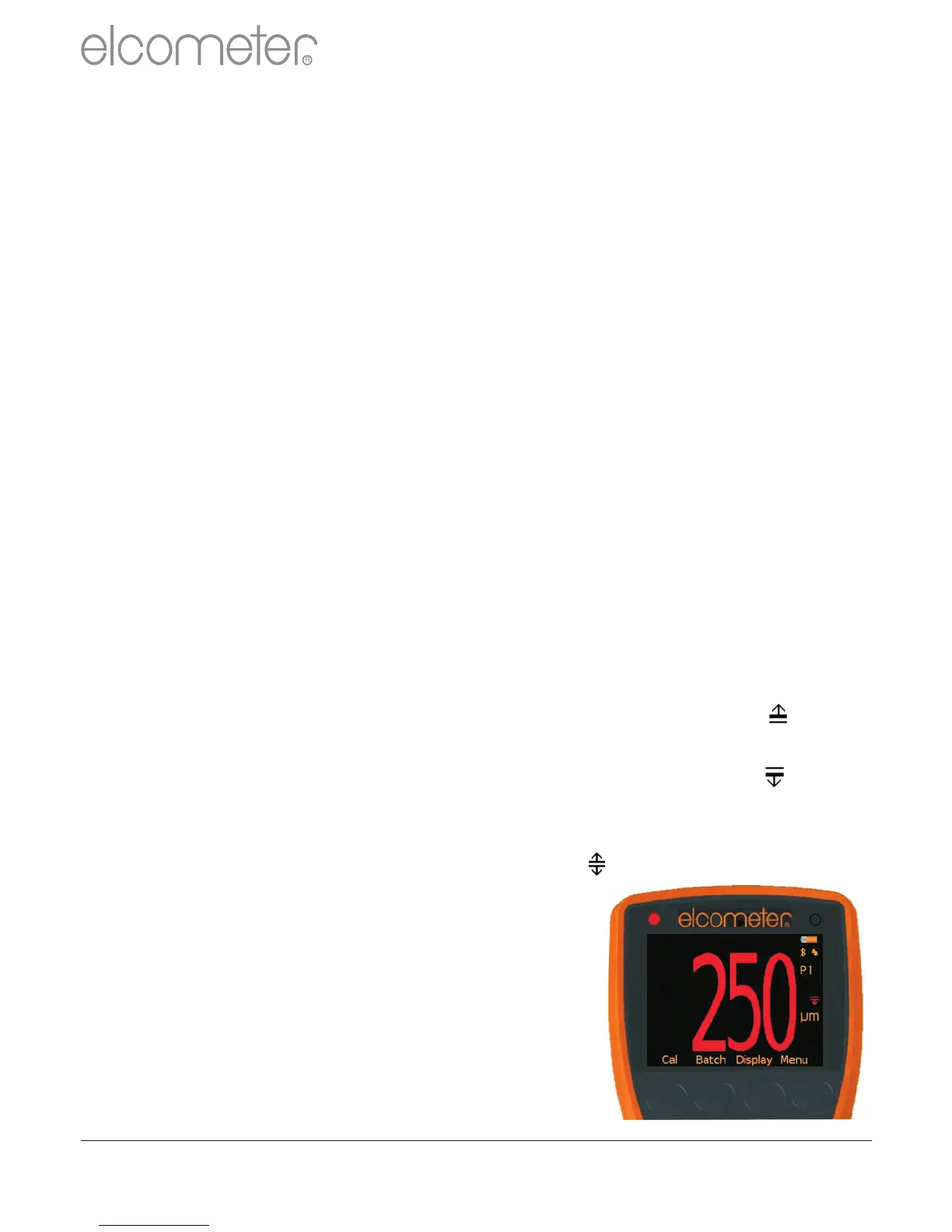
When the Elcometer 224 gauge takes a
reading which is outside the set limits the
following occurs:
?The Red LED flashes
?The reading is displayed in red
?The alarm beeps 3 times
?The associated limit icon turns red
www.elcometer.com
17
en
R



 To Next Page