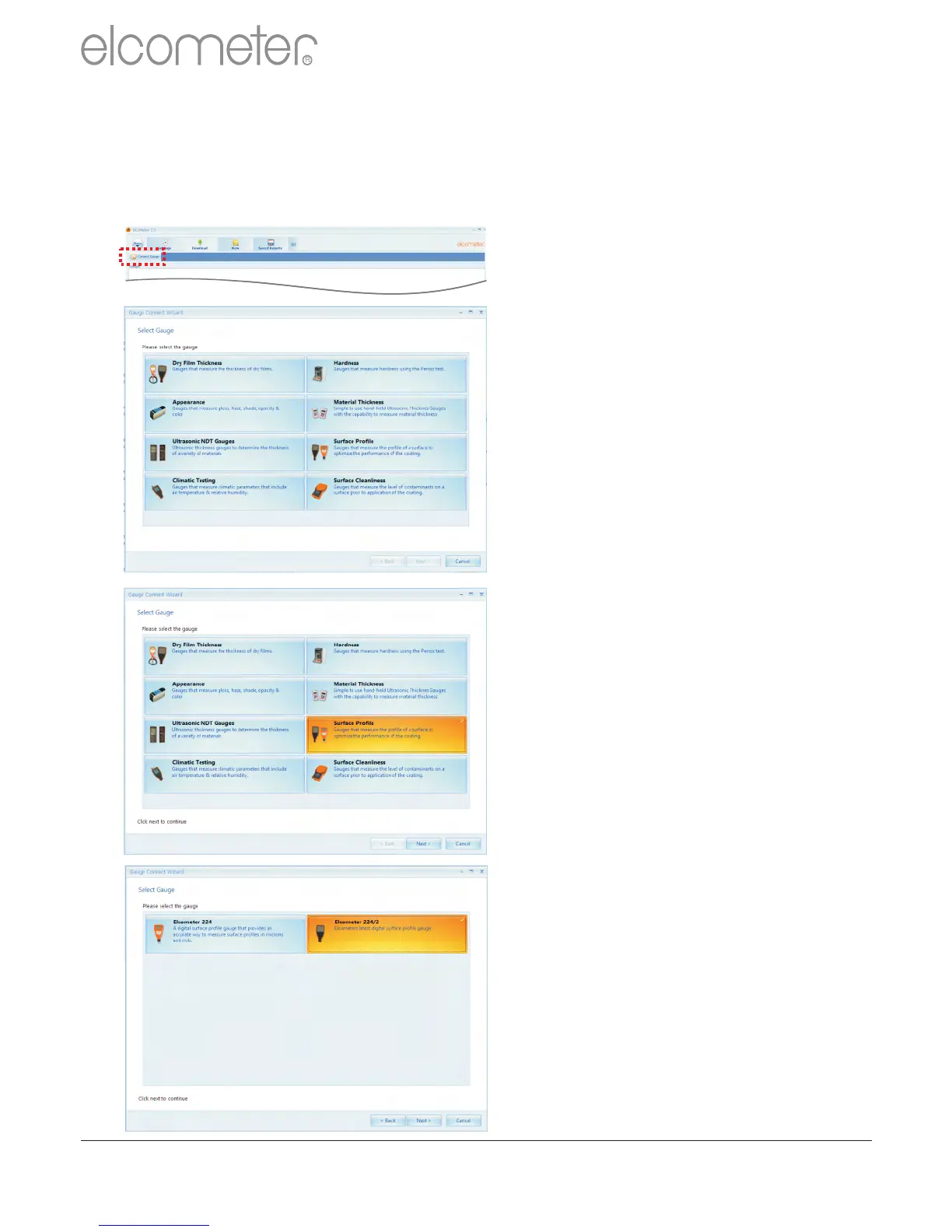
Clicking ‘Connect Gauge’ starts
the ElcoMaster™ 2.0 Gauge
Connect Wizard.
The ElcoMaster™ 2.0 data
management software allows
users to download readings from
a wide range of Elcometer
inspection gauges.
Measurements such as surface
profile, surface cleanliness
temperature, dewpoint, delta T,
gloss, material thickness and dry
film thickness can all be
downloaded, stored and
reported using the ElcoMaster™
2.0 software.
These instructions will inform the
user how to download data from
an Elcometer 224 surface profile
gauge. All appropriate Elcometer
gauges can be downloaded in a
similar way.
?Select the Surface Profile tab
and press ‘Next >’
ElcoMaster™ 2.0 supports the
new Elcometer 224 (identified in
the software as Elcometer 224/2)
and the old style Elcometer 224.
?Select the Elcometer 224/2
tab and press ‘Next>’
Connecting an Elcometer gauge to ElcoMaster™2.0 (BT)
In order to download any gauge readings from the Elcometer 224 the
user must first ‘Connect the gauge’ by clicking the ‘Connect Gauge’
button on the Download action tab.
www.elcometer.com
33
en
R



 To Next Page