ATS-5X User Manual Page 26 of 44
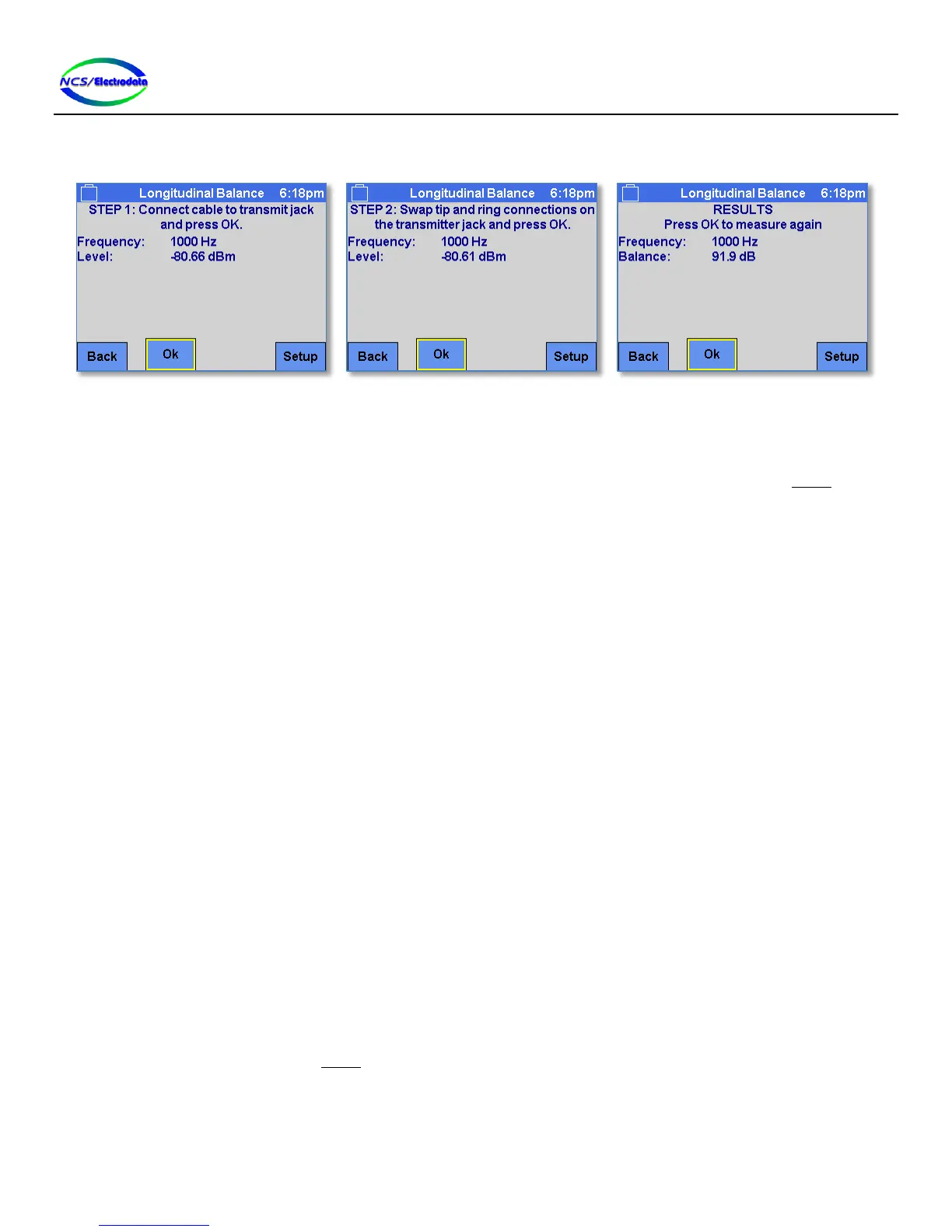
normal fashion, and one with the circuit connected to ring and tip in a reverse fashion. Once both measurements are
completed, the results are displayed.
Figure 34 – Longitudinal Balance Overview
2.7.3.2 Setup
The longitudinal balance setup requires the line interface to be 2-wire. The transmitter connection is non-standard for
this setup (refer to section 2.6.1). The receiver bridging is forced on and the impedance selection on the Setup screen is
applicable only to the reference level of the transmitter; it does not affect the source impedance.
The following transmit modes are permitted for this measurement:
1004 Hz
Single Tone
Tone Sweep
2.7.3.3 Measurements and Controls
The measurements or displays on the screen are described below:
Frequency: The frequency corresponding to the transmitted tone. If there are no significant tones, the
display shows “N/A”.
Level: The receiver signal level at the transmitter frequency.
Sweep frequency: Displays the current transmit frequency during a tone sweep. This display is only visible
when the transmitter has been configured for Tone Sweep and one of the two balance
measurements is in progress.
The screen controls are listed below:
OK: If the step 1 measurement instructions are displayed at the top of the screen, this button
will begin the step 1 measurement process. If the transmitter is configured for Tone Sweep,
this process involves measuring at each frequency in the sweep. If the step 2 measurement
instructions are displayed at the top of the screen, this button begins the step 2
measurement process. If a measurement has been aborted by pressing the Cancel button,
pressing the OK button will allow another measurement to be taken. If the display shows
the longitudinal balance measurement results, pressing the OK button will allow another
measurement to be taken.
Back: Return to the previous screen.
Setup: Show the Setup screen.
Cancel: Aborts the current longitudinal balance measurement (see Figure 35). Any partial results
are discarded.
Save: Save the tone sweep longitudinal balance results to a USB drive in the ATS-5X USB port (see
Figure 36). A message will be displayed to indicate if there is no valid USB drive attached.


 To Next Page