ATS-5X User Manual Page 12 of 44
Similarly, the RIGHT ARROW and LEFT ARROW keys shift the horizontal axis limits so that the data view moves right and left.
The graph axis limits may only be adjusted with the keypad or USB keyboard if the axis values are not already at their
limits.
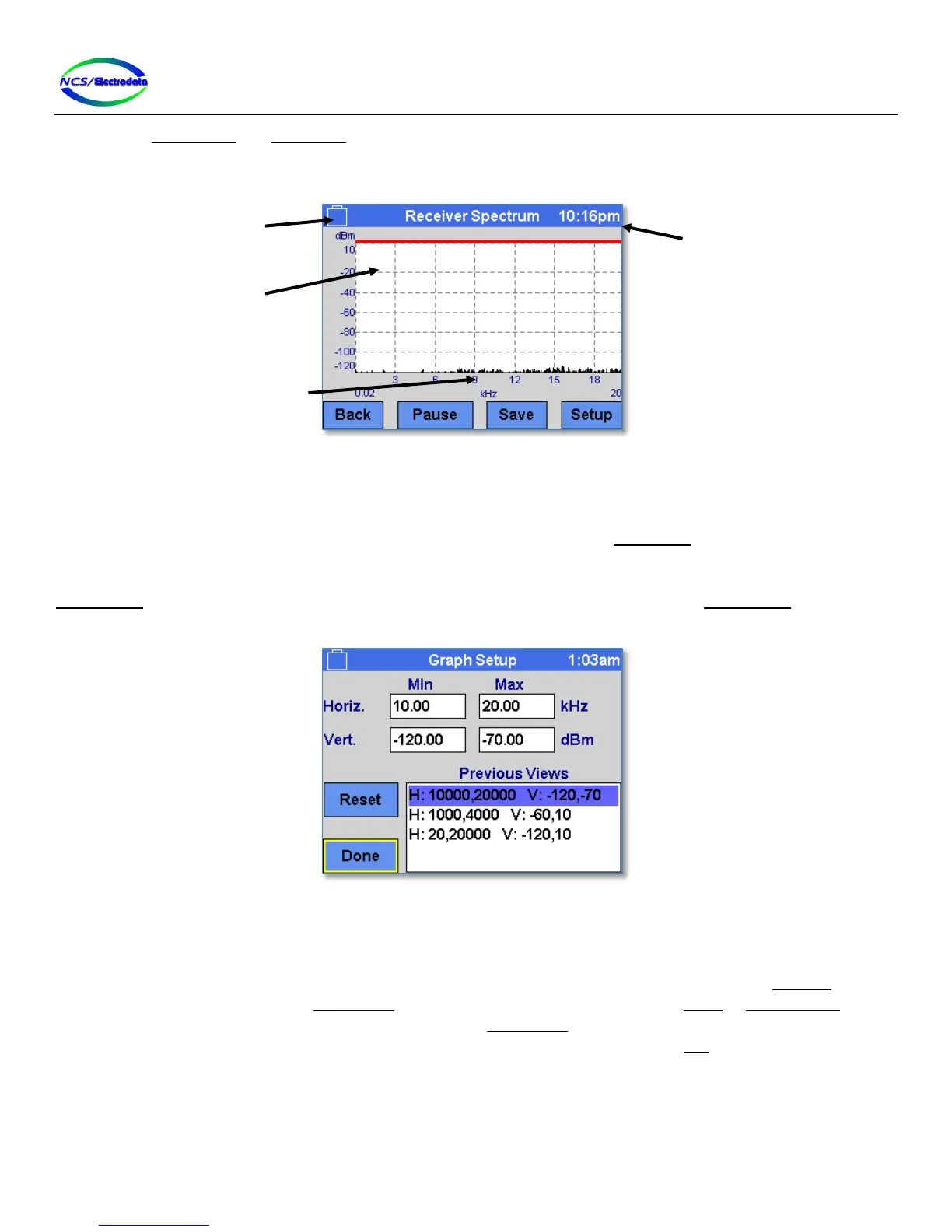
Figure 15 – Graph Display
2.4.3.8.1 Graph Display Limit Adjust
To adjust the horizontal and vertical axis values of the graph display, press and hold (touchscreen or USB mouse) within
the boundary of the graph display for at least 1 second. This will display the Graph Setup screen (see Figure 16). Four
number entry fields are shown to adjust the minimum and maximum horizontal and vertical axis limits. The Reset
button will adjust the axis limits in the four number entry fields back to their default values. The Done button hides the
Graph Setup screen and shows the original graph display with the axis limits specified in the Graph Setup screen. Select
an item in the Previous Views selection list to quickly restore a common display setting.
Figure 16 – Graph Setup Screen
2.4.4 Screen Navigation
There are controls on each screen that allow the user to change to other screens. For instance, most screens have a
Back button that returns the display to the previous screen. When the ATS-5X is first powered on, the Start-Up screen is
displayed momentarily and then the Main Menu screen is displayed. From this point, the Setup or System Menu screens
may be displayed by pressing their respective buttons on the Main Menu screen, or the displayed may be moved to one
of the measurement screens by pressing one of the measurement buttons. Pressing the ESC key will return the display
to the previous screen. Figure 17 below shows a simplified diagram of the screen navigation.
Top border color
indicates if display
is focused or active


 To Next Page