ATS-5X User Manual Page 32 of 44
2.7.6.2 Setup
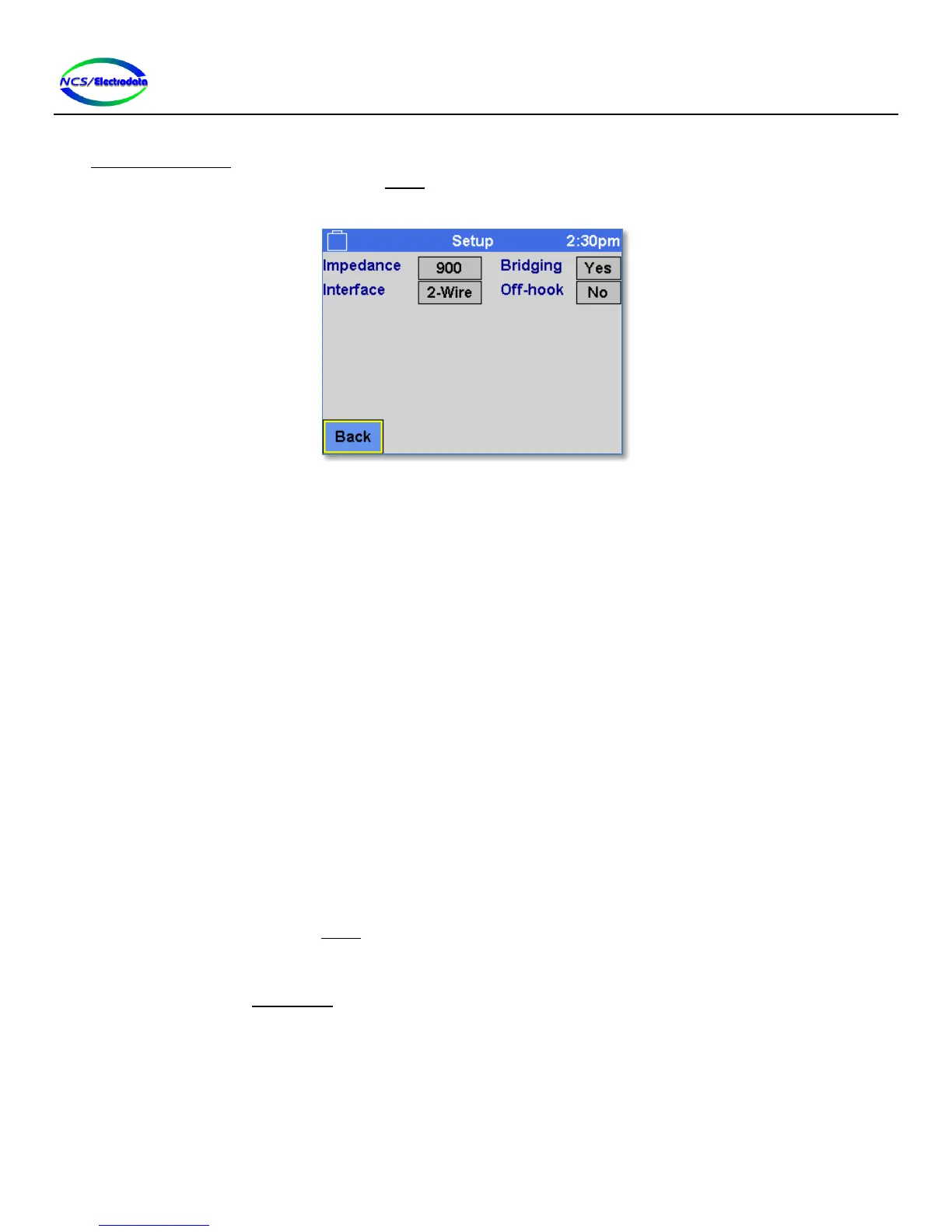
The Echo Measurement screen configures the transmitter and receiver in a special manner, and therefore the
transmitter and receiver filter selections in the Setup screen are not available. However, the echo measurement may be
performed with either the 2-wire or 4-wire interface. Figure 43 below shows the available setup configurations.
Figure 43 – Setup Screen in Echo Measurement Context
2.7.6.3 Measurements and Controls
The following measurements are shown on the screen (see Figure 42) after the echo measurement has been completed:
Point #: An index number to identify discrete echo points in the case when multiple echoes are
measured in a single measurement.
Echo Time: The time required for the ATS-5X to detect a response after a stimulus has been
transmitted.
Return Level: The level of the returned echo stimulus relative to the transmitted stimulus. More negative
numbers indicate less detectable echo.
Measurement in Progress…: The percentage progress of a single echo measurement (see Figure 44).
The following controls are shown on the screen:
Back: Return to the previous screen
Measure: Initiates an echo measurement. Once initiated, the measurement progress is display as
shown in Figure 44.
Abort: Once a measurement has been initiated, it can be stopped by pressing the Abort button.
Save: Store the echo measurement results to the USB flash inserted in the ATS-5X USB port. This
button is only visible if an echo measurement has been performed and a valid USB drive is
inserted into the ATS-5X USB port.
Setup: Show the Setup screen.
Volume: Adjusts the receiver audio volume. Moving the slider towards the “+” symbol to the right
increases the volume. This control is the same as the Audio Volume control in the
Preferences screen.


 To Next Page