Procedure for use
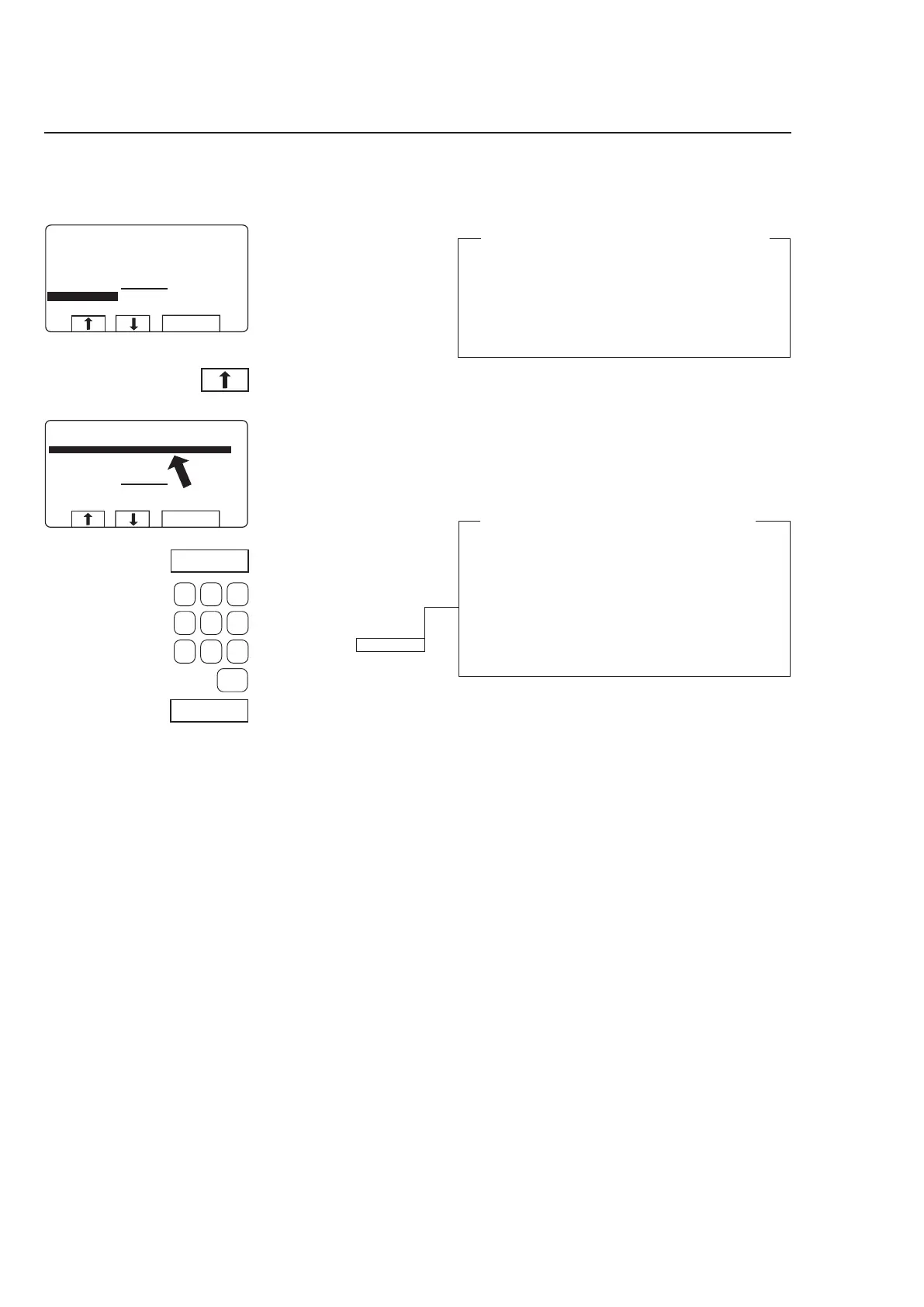
Press c one or more
times...
...to highlight the line re-
quired.
3584
To change parameters in the current program step
During program operation the
display will look like this (see
section ”To start the wash
program”).
Use the numeric keys to
enter the new parameter .
Press SELECT.
If you have entered the wrong parameter
Continue pressing numeric keys to overstrike the
incorrect parameter.
Note: always use the same number of digits as
used on the display to overstrike the incorrect
parameter.
Example:
To change the time for the program step to 30 se-
conds, enter 030 to overstrike the earlier parameter.
Press SELECT.
You can alter the following program steps:
Prewash, Main wash, Rinse, Drain, Soak
Length of program step (max. 9998 seconds),
heating temperature (max. 97°C).
Extraction
Length of program step (max. 3599seconds),
extraction speed.



 To Next Page