EasyManua.ls Logo

Electrolux W475H - Auto Restart

Electrolux W475H
76 pages
Print Icon
To Next Page IconTo Next Page
To Previous Page IconTo Previous Page
Loading...
31



  

 
  


Procedure for use
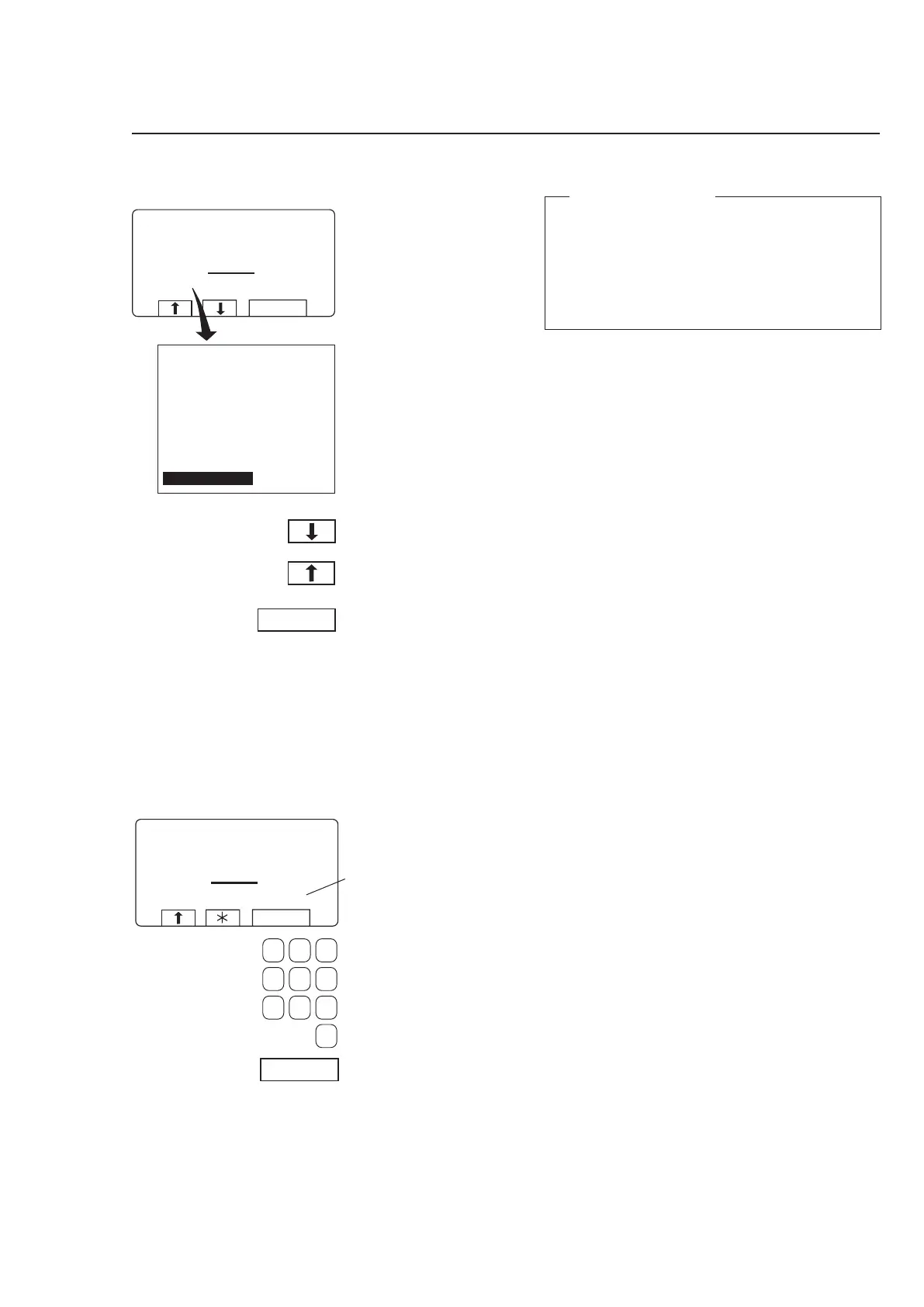
Auto restart
3593
What is Auto restart?
Auto restart means that the same program will
be repeated one or more times, according to the
number set. The program will restart immediately,
and the door will remain locked. If you have set auto
restart, the display will show the number of restarts
left.
This function is used primarily for testing.
3594
Shows the number of
times the program will
restart.
If required:
Use the numeric keys to
change the required num
-
ber of restarts.
Press SELECT.
Press
b one or more
times to highlight ”AUTO
RESTART”.
Press SELECT.




  
  
  
  
  












Other manuals for Electrolux W475H

Related product manuals