EasyManua.ls Logo

Electrolux W475H - To Select the Memory Card Function

Electrolux W475H
76 pages
Print Icon
To Next Page IconTo Next Page
To Previous Page IconTo Previous Page
Loading...
56
Procedure for use
3589
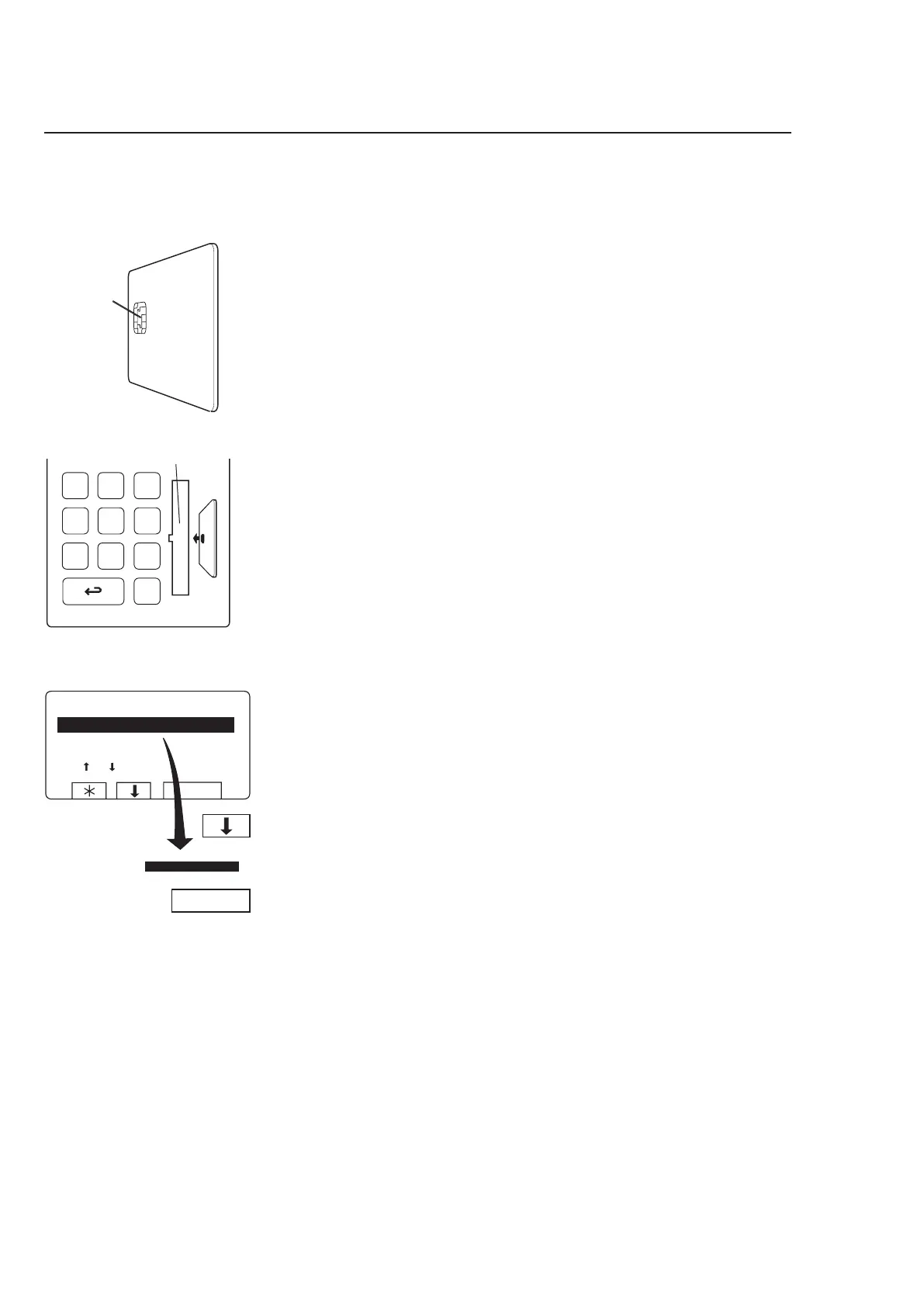
If this menu is not currently
displayed:
Press
a repeatedly.
Press
b to highlight ”GO
TO THE MENU”.
Press SELECT.
3606
Turn the memory card so
its memory chip is at the
far end, and on the left of
the card...
...then insert the memory
card into the program con
-
trol unit.
Memory
chip
To select the ”Memory card” function
Card reader
4115











Other manuals for Electrolux W475H

Related product manuals