67
Procedure for use
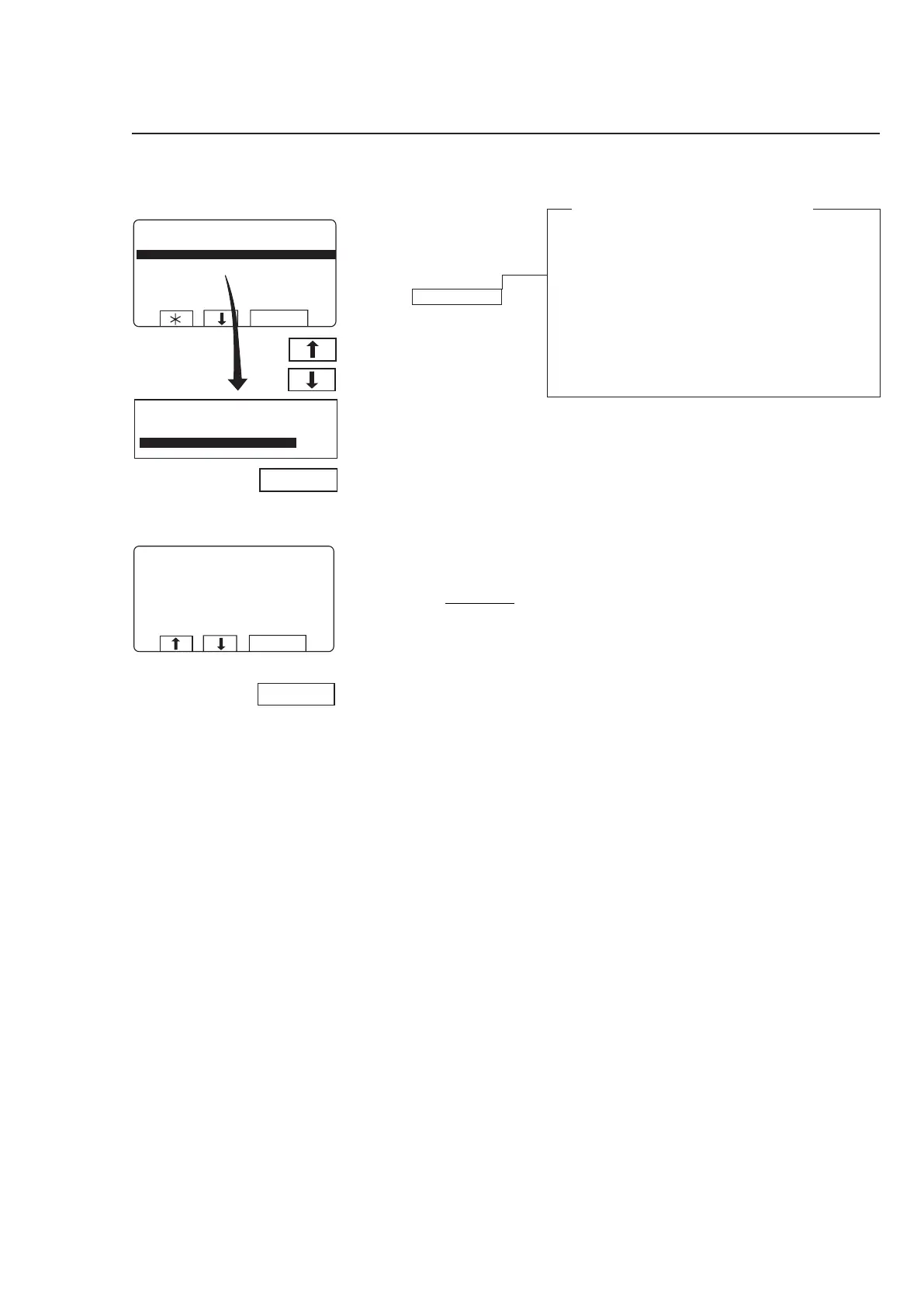
To delete all programs on a memory card
Highlight ”CLEAR ME-
MORY CARD” (press
b or
c if necessary).
Press SELECT.
What is a restricted-use program?
A wash program which has been created on a
PC can be made a ”restricted-use” program. This
means that:
• The program cannot be deleted or copied to the
program memory of a washer extractor.
• You cannot modify the program or examine its
structure.
• To run the program you must have access to the
memory card, and insert it into the card reader
when the program is to be started.
If you change your mind and
do not want to delete the
entire memory card:
Press any key
other than
SELECT.
4519 A
If you want to delete all pro-
grams on the memory card
(with the exception of any
restricted-use programs):
Press SELECT.
Note that
restricted-use
programs on a memory card
cannot be copied or deleted.
3629



 To Next Page