EasyManua.ls Logo

Electrolux W475H - Heating; Procedure for Use

Electrolux W475H
76 pages
Print Icon
To Next Page IconTo Next Page
To Previous Page IconTo Previous Page
Loading...
35
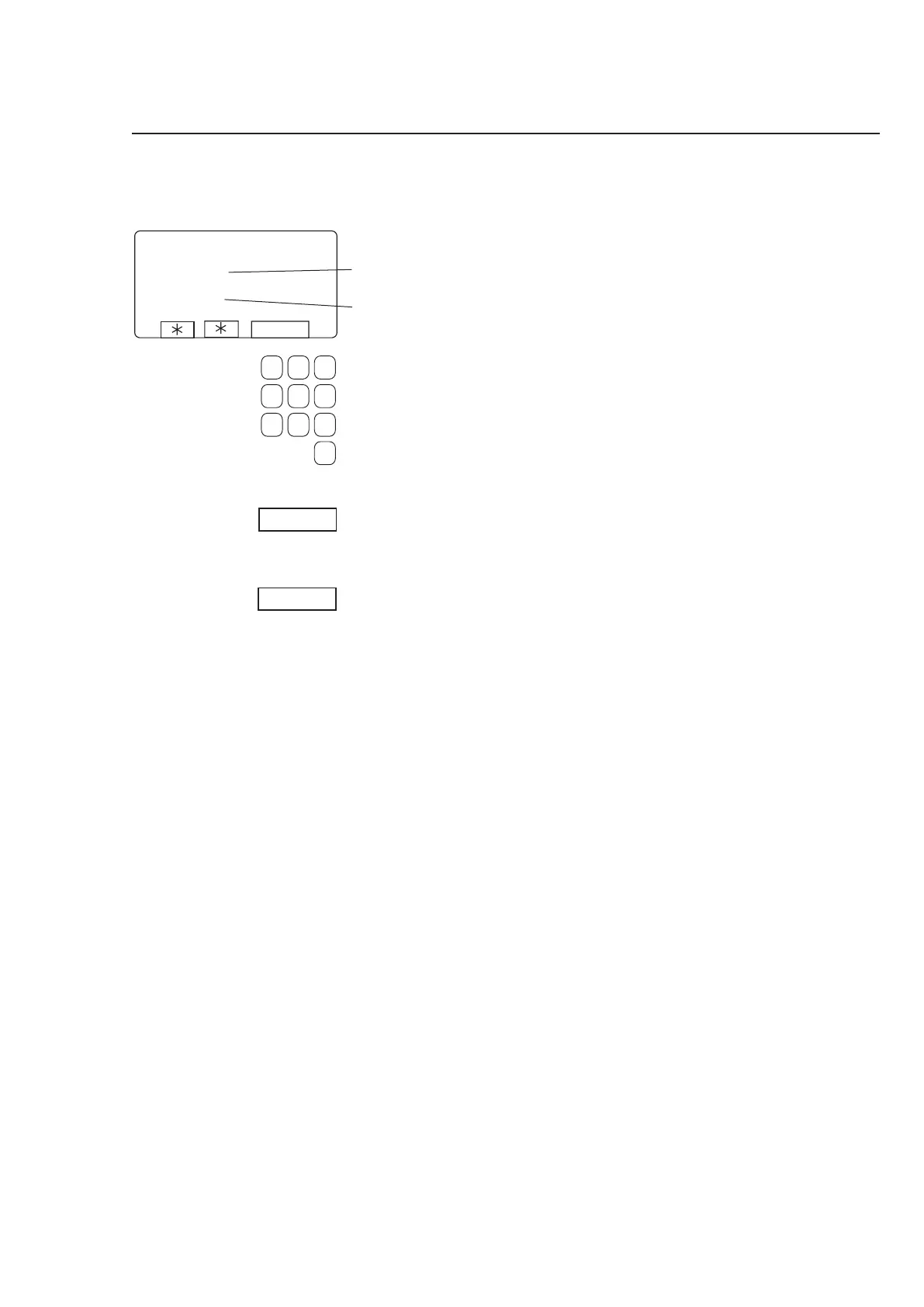
Procedure for use
Use the numeric keys to
enter the temperature the
water is to be heated to.
Actual temperature
Temperature selected









Press START.
Heating will now begin.
If you wish, you can cancel
heating before the set tempe-
rature is reached:
Access this function again
and press STOP.
To access this function, see
instructions in section ”To
select manual operation”.
3689
Heating


Other manuals for Electrolux W475H

Related product manuals