3589
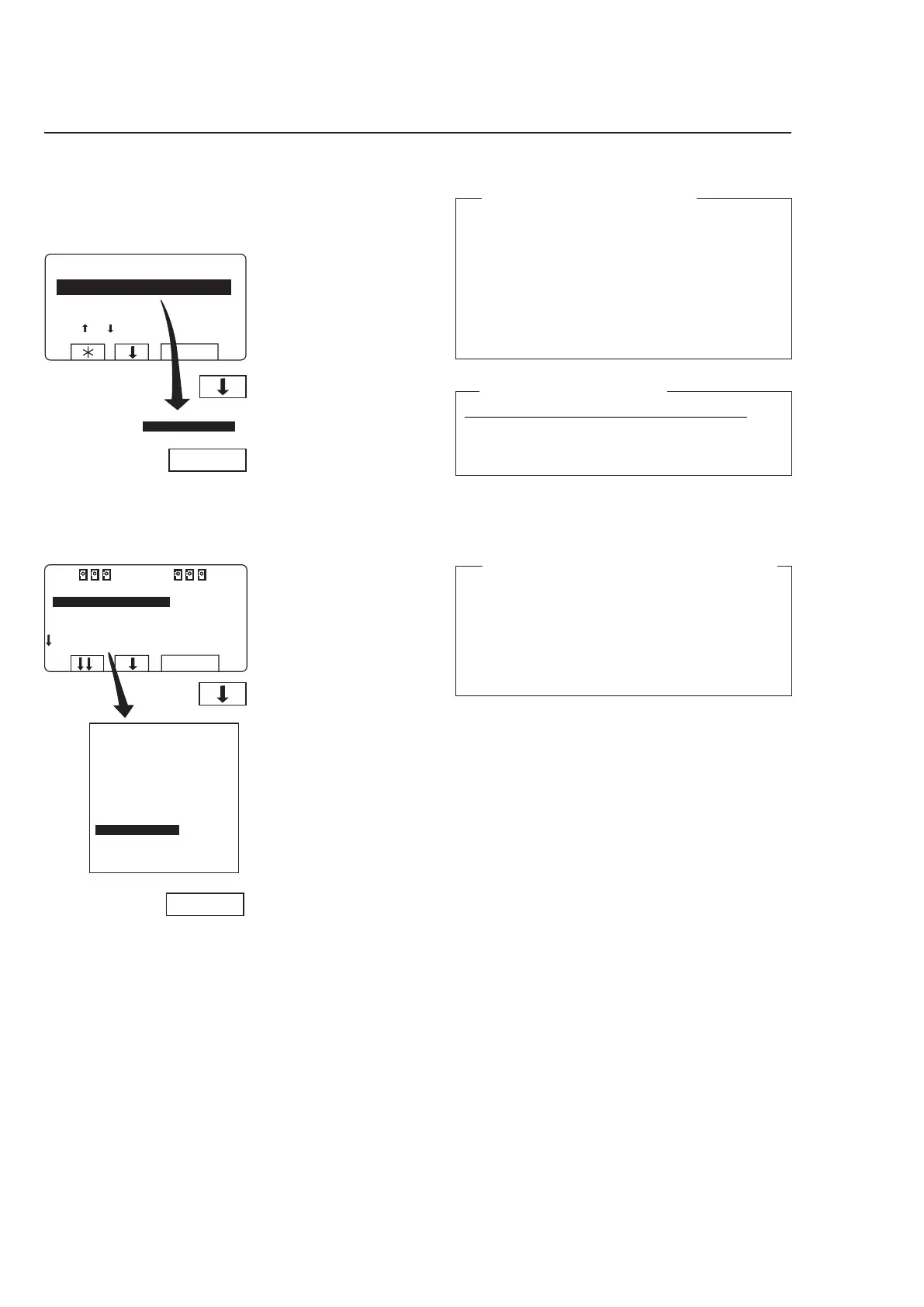
If this menu is not currently
displayed:
Press
a repeatedly.
Press
b to highlight ”GO
TO THE MENU”.
Press SELECT.
Always lock the door first!
You must always close and lock the door first before
you can operate the machine manually.
To lock the door, use the submenu MOTOR/DOOR,
see section ”Motor/door”
.
All manual settings are cancelled when you
exit manual operation
All manual settings (such as door, motor, tempe-
rature, and drain) will be cancelled when you exit
manual operation.
The door is unlocked, the motor stops, the drain
opens, heating is halted, and the temperature is
reset to zero.
Press SELECT.
Press
b six times...
....to highlight ”MANUAL
MODE”.
Two types of manual operation
There are two types of manual operation, which
should not be confused:
• Manual operation when no program is run
-
ning
These functions are described in this section.
• Manual
operation during a program
These functions are described in section ”Ma
-
nual operation”
.
3685



 To Next Page