48
Procedure for use
Set tare to a certain value
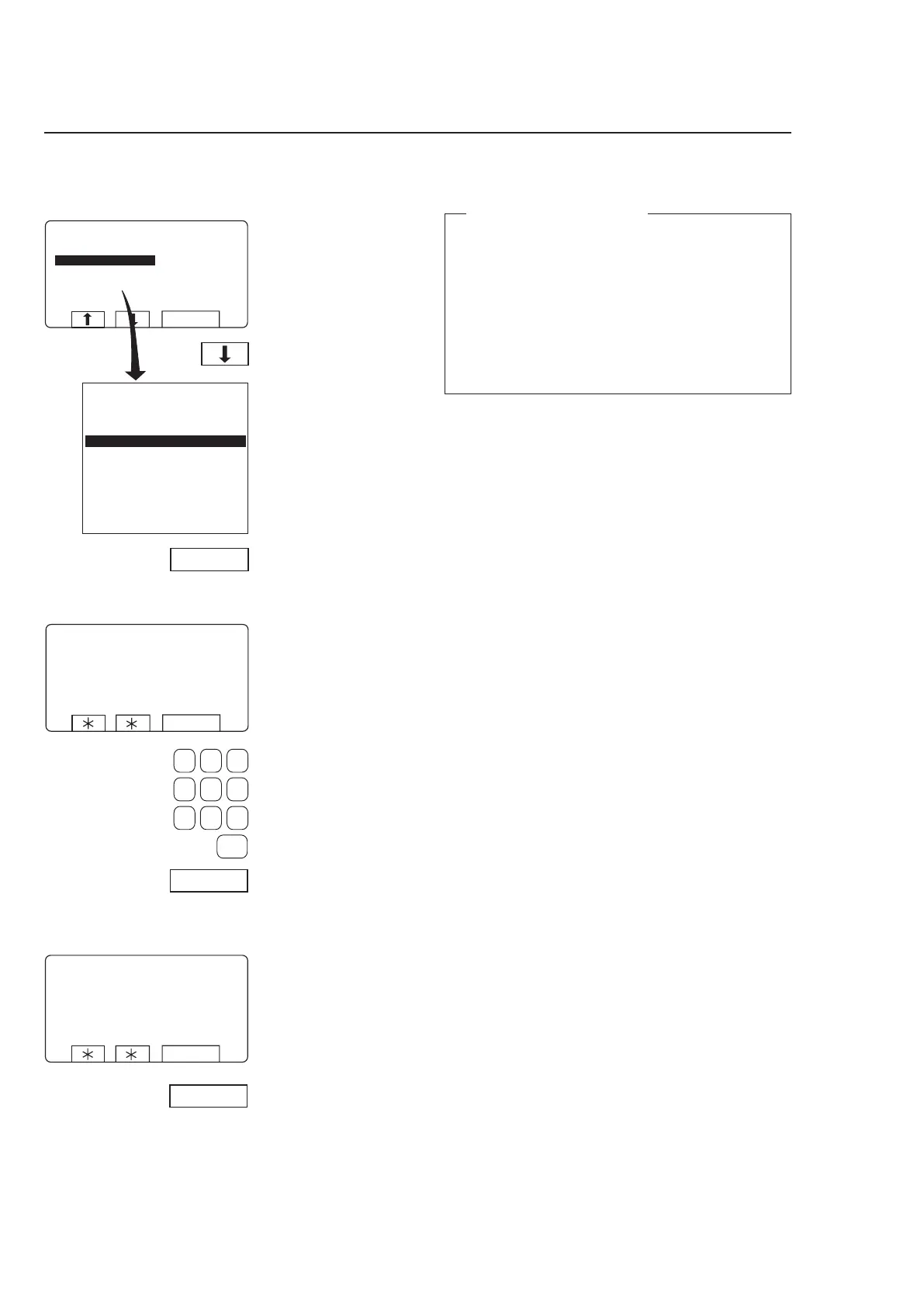
Press b three times to
highlight ”SET TARE TO A
CERTAIN VALUE”
Press SELECT.
4784
4785
This screen shows that
the parameter has been
entered successfully.
Press SELECT.
Set tare to a certain value
This function lets you enter a value for the tare para-
meter, i.e. a weight value which the weighing equip-
ment will disregard when showing a net weight on
the display. The function will automatically clear any
earlier tare value when you enter a new one.
If your value is not entered successfully at this point,
you will see an error message equivalent to: “FAILED.
PRESS SELECT” on the display. For troubleshooting,
see the section “Fault-finding, weighing equipment”
in the machine manual.
Press SELECT.
Use the numeric keys to
enter the tare you re
-
quire, unit: hectograms; 1
hectogram = 100 grams).
4786



 To Next Page