Technical Support - DMM 69/80 599 74 98-60 Rev.00
12.3.6 Front panel
Remove the worktop.
Remove the control panel.
Remove the iron ring and remove the door bellow seal from the front panel.
Unfasten the screws securing the door safety interlock.
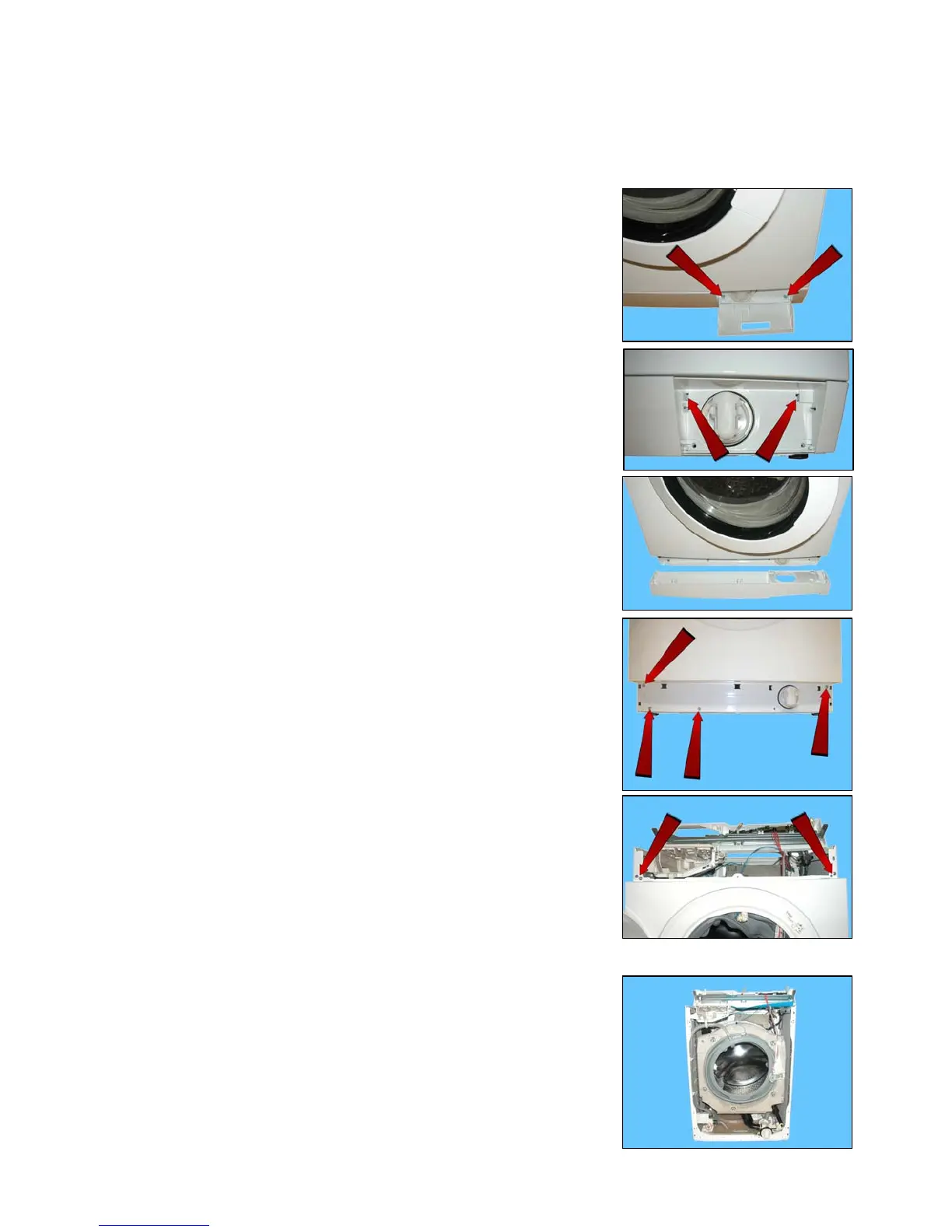
Open the filter flap and remove it.
Loosen the two screws that secure the plinth to the front.
Release the two hooks that secure it to the front (indicated by the arrows).
Remove the plinth by turning it downwards in order to pull out the pins that
secure it to the lower part of the front panel.
Loosen the screws that secure the lower part of the front panel to the cabinet
casing.
Release the cable clamp secured to the centre of the front panel (where the
lamp is featured).
Unfasten the four screws securing the front panel to the sides (indicated by
the arrows).
Remove the front panel.


 To Next Page