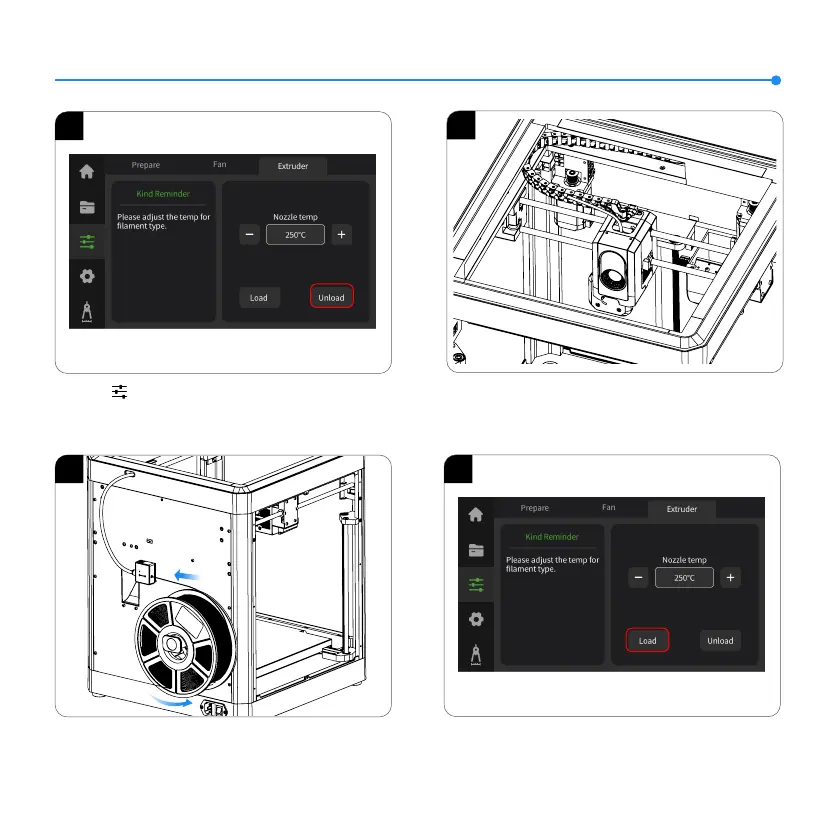
4. Click “Load” and wait for the nozzle to heat up. Once the
nozzle reaches the preset temperature, it will start the filament
loading process.
Filament Replacement
1
2. After unloading is complete, extract the old filament from the
tube and replace it with a new one.
1. Click 【 】 and switch to the Extruder option. Click
“Unload” and wait for the machine to complete the unloading
process.
12
3. Load the filament by inserting one end into the filament detector
and pushing it forward until it reaches its maximum position.
4
2
3













 To Next Page