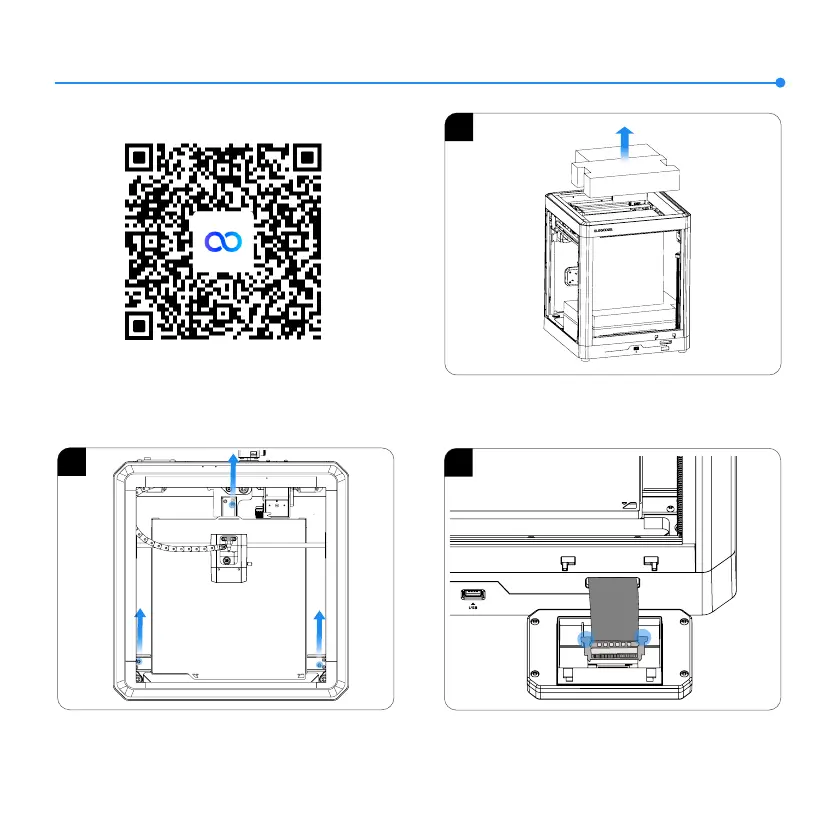
1. Take out the foam and tool kit from the printer.
2. Unlock the heated bed and use an Allen wrench to remove the
three screws in the picture.
3. Insert the ribbon cable into the port by pressing the terminal
as pictured. Make sure the gold contacts on the ribbon cable
face upwards.
2
3
7
Machine Setup & Installation
Scan to access tutorials
1













 To Next Page