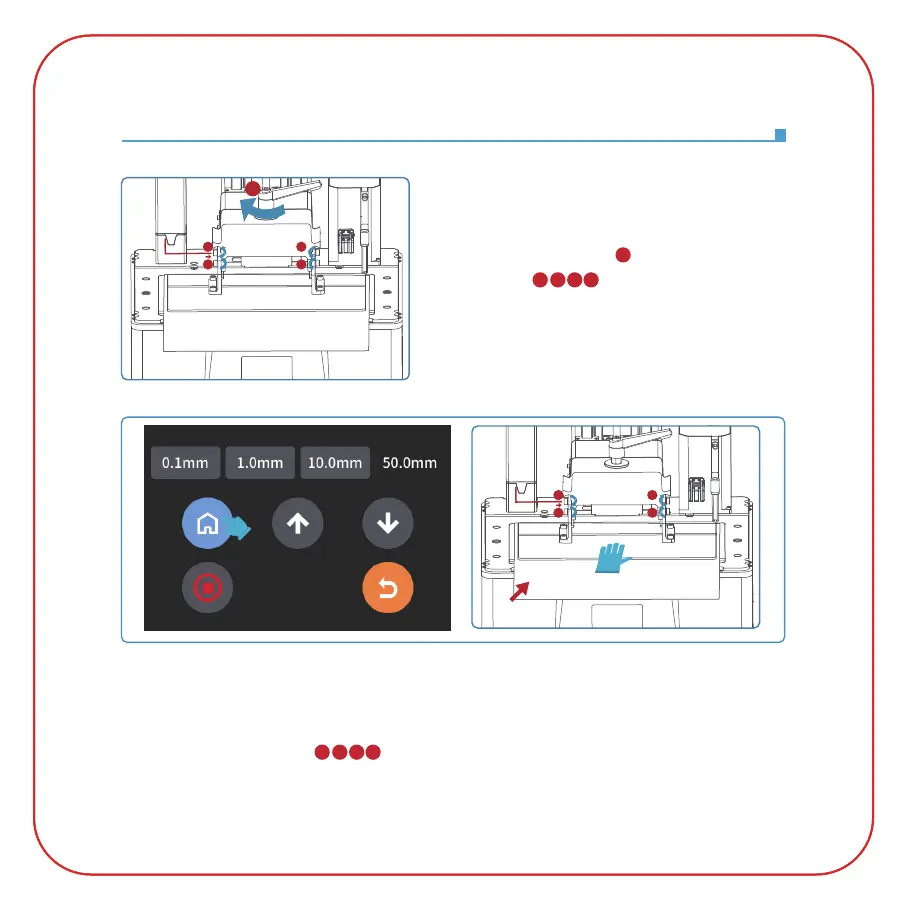
2. Place a leveling card between the build plate and the LCD screen, then click "Move Z axis to zero"
(See Picture 7). After the printer stops moving, press the top of the build plate with one hand, and
lock the four fixing screws ( ) with the other hand. (See Picture 8)
1. Lock the rotary handle ( ), then loosen the four
fixing screws ( ) of the build plate until the
build plate can move freely.
(See Picture 6)
Leveling
(Picture 7)
(
Picture 8)
5
1342
1342
(Picture6)
4
1
3
2
5
4
1
3
2
leveling card



 To Next Page