Leveling
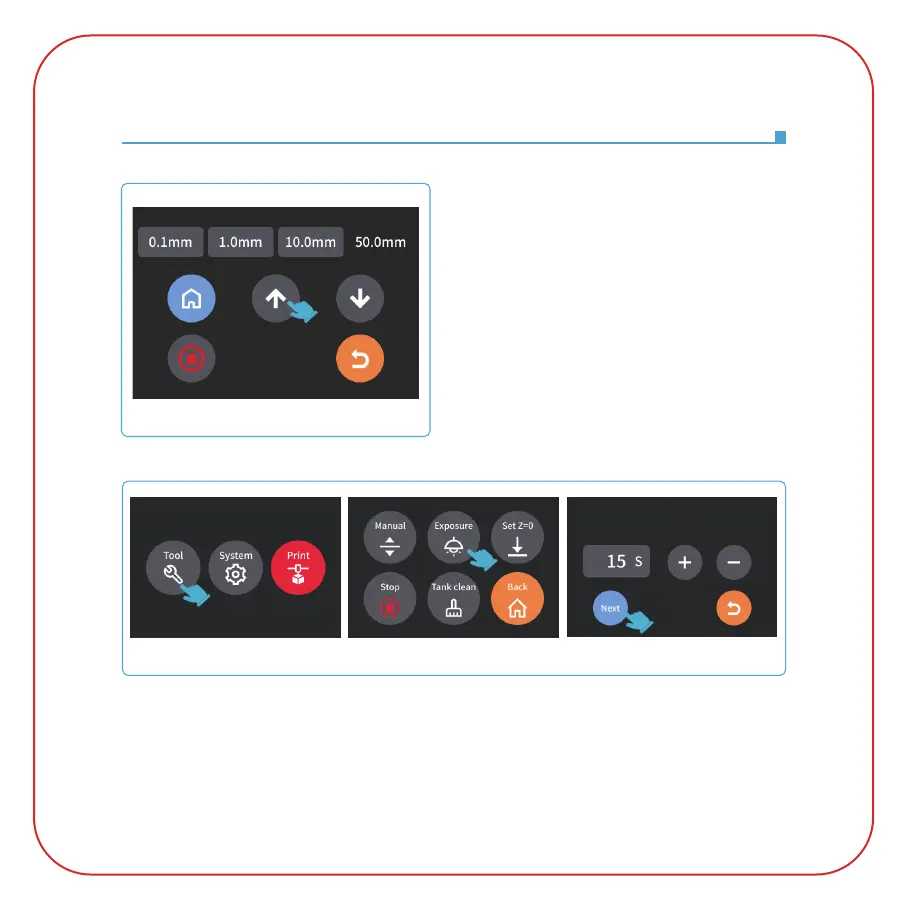
5. Click back to the "Manual" page (pay attention
to the position of the probe when moving the build
plate, please manually press down the probe before
lifting to avoid damage to the device)
, and click the
Z-axis "up" button to raise the Z-axis by a certain
distance. (about 100mm)
(See Picture 11)
6. Take away the leveling card, and click the "Tool" - "Exposure" - "Next" buttons to test the LCD
screen and LED light source. If the LCD can display "ELEGOO TECHNOLOGY www.elegoo.com",
then the 3D printer works perfectly. At this time, the leveling is completed. (See Picture 12)
(Picture 12)
(Picture 11)



 To Next Page