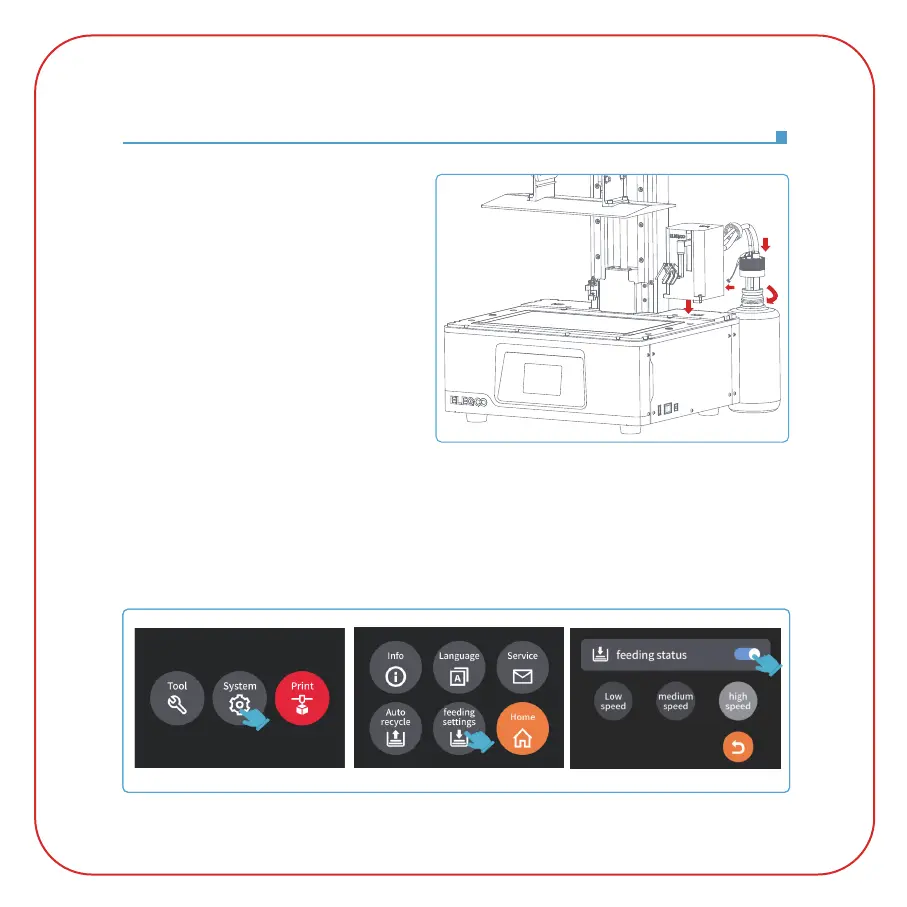
Automatic Resin Feeding and Automatic Resin Recycle
(Picture 1)
(Picture 2)
1. Module Installation
Remove the resin tank, insert the automatic
resin feeding module into the right USB port,
and fix it with 2 screws. Insert the bottle cap
module into the ELEGOO 1000g resin bottle
and tighten it, insert the two hoses into the
corresponding ports, and insert the signal
detection terminal on the bottle cap into the
interface on the back of the main automatic
resin feeding module. (See Picture 1)
2. Instructions for Use
2.1 Before use, please make sure that the resin in the bottle is sufficient. This module can be used
to refill resin and recycle resin. Click "System" - "Feeding Settings" to enter the page, and set the
default state and default speed of the feeding function.
(See Picture 2)



 To Next Page