(Picture 3)
(
Picture 4)
Automatic Resin Feeding and Automatic Resin Recycle
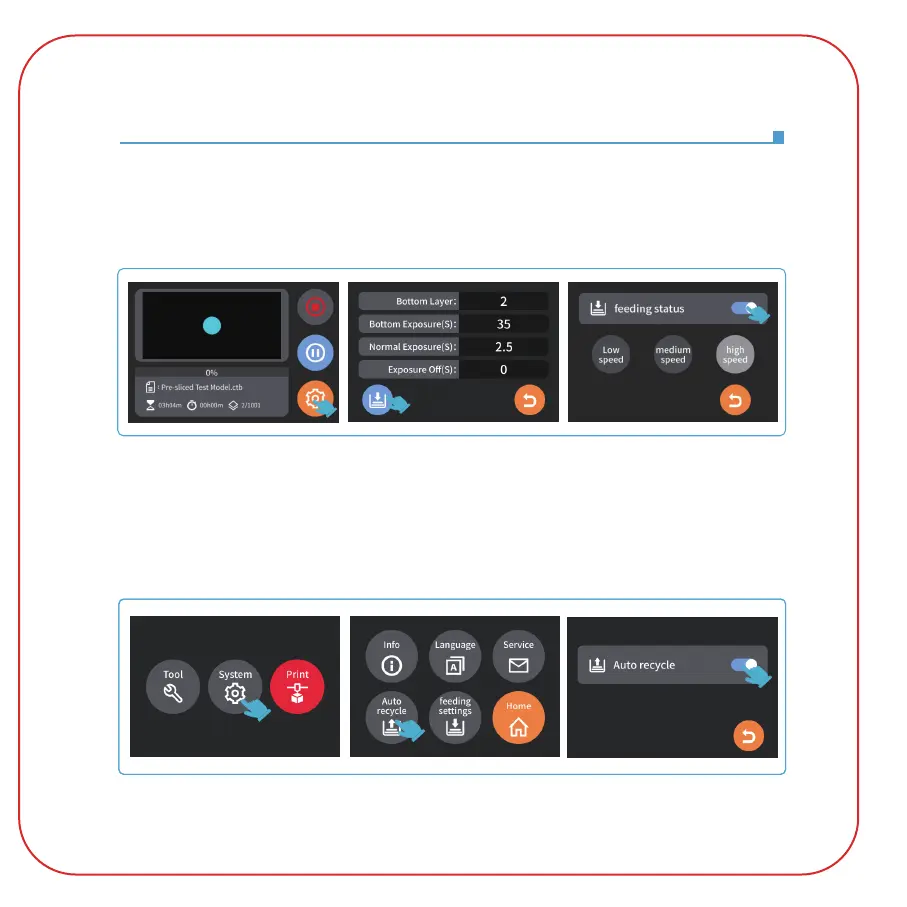
2.2 Click "System" - "Auto Recycle" to enter the automatic resin recycling page. (See Picture 4)
The "automatic resin recycle" function is used: the resin tube moves down to the bottom of the
resin tank and starts to recycle the resin until the resin bottle is detected to be full of resin, and
the recycle stops. If there is still a lot of resin in the resin tank, please replace the resin bottle, and
then turn on the "Auto Recycle" function to recycle the resin.
When the automatic resin feeding function is used, during the printing process, if the resin is
detected to be insufficient, the device will automatically refill the resin. In the settings of the
printing interface, the automatic resin feeding status of this printing can also be changed.
(See Picture 3)



 To Next Page