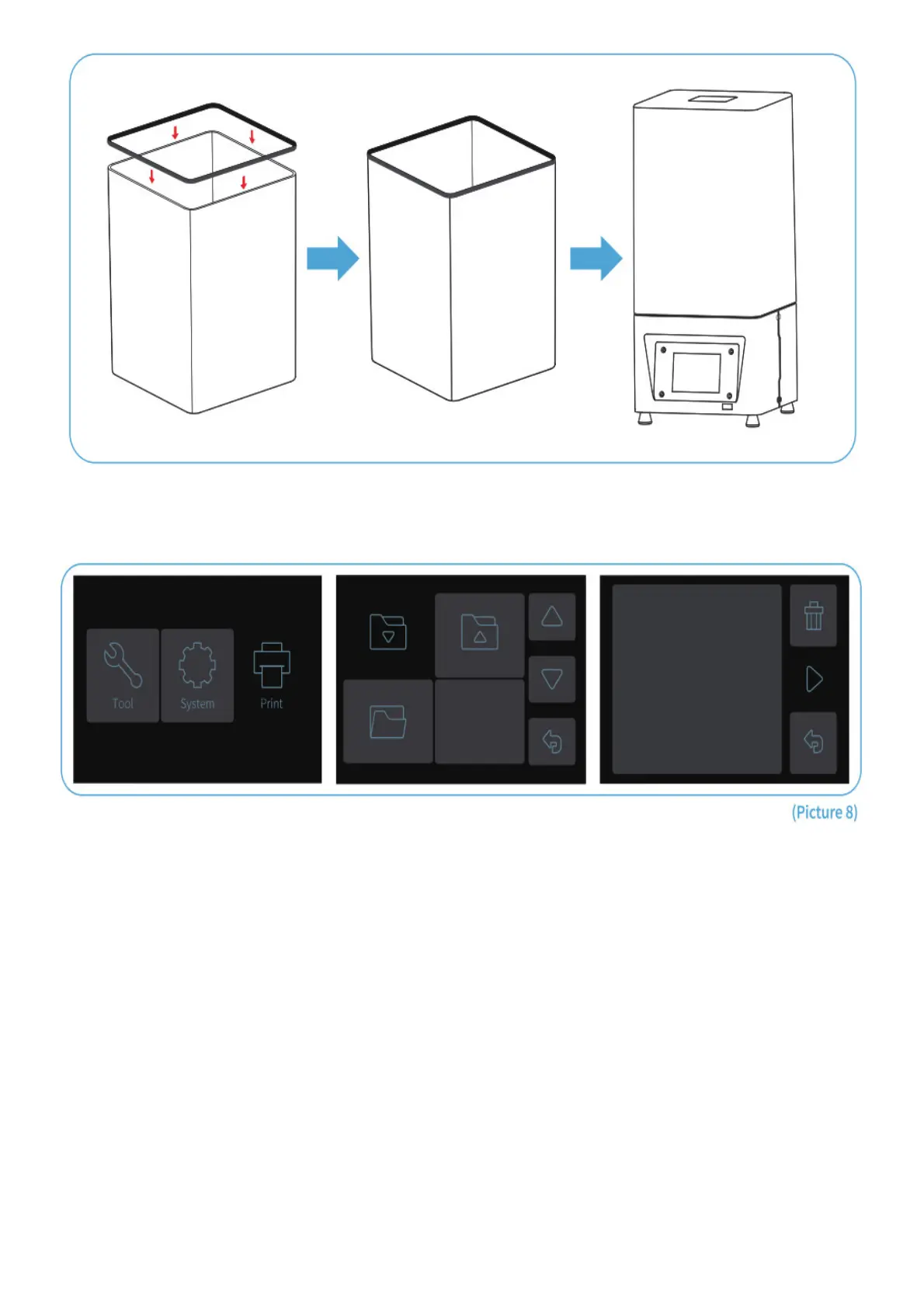
Plug the USB to your printer, wear your mask and gloves and then add resin slowly to the 1/3 level of the tank.
(Avoid direct contact with your skin) Select Model file ” Rook.ctb ” (See Picture 8) and start printing. Put on the cover
to avoid direct sunlight and make sure the printer is leveled and not shaky.
If you found resin is not enough to complete the model during printing, you can press Pause and add more resin into
the tank and then press Print to continue printing.
2 Wash Your Print and Clean the Tank
Once printing is completed please wait until the resin on the build platform doesn’t drop anymore. Loose the rotary
knob and remove the build platform. Use scraper to remove the model and wash it with 95% degree(or higher) ethyl
alcohol if you are using standard resin or ABS-like resin(see Picture 9).



 To Next Page