1 Install ChiTu Box
ELEGOO ChiTu Box is saved in the U Disk. Choose the right version and install it on your computer or you can
download the latest version from www.elegoo.com/download if you prefer.
2 How to Use ChiTu Box
After installation completed, run ChiTu software. Click File – Open File, then open your own 3D model files (.stl type)
or you can download some samples from our website www.elegoo.com. You can control and change the visual
angle, size, and position of the model by left-clicking the model and use options on the left menu.
Elegoo ChiTu Box
Other operations:
1) Long press the left click and drag the model to the position you want.
2) Scroll the mouse wheel to zoom in or zoom out the model.
3) Long press the right click to see different perspectives of the model.
3 ChiTu Box Setting
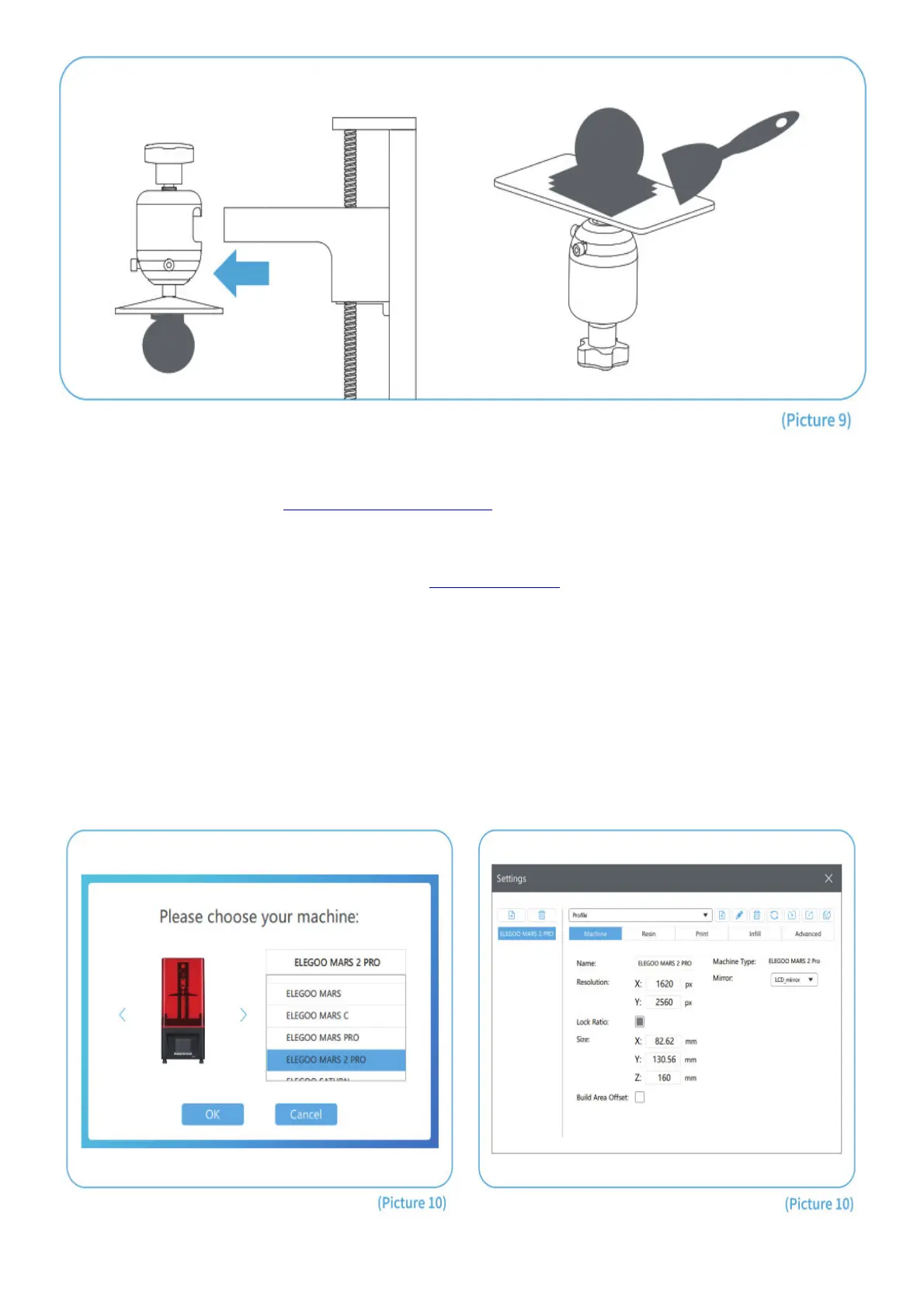
3.1 Click “Parameter Settings” and choose ELEGOO MARS 2 Pro as your default printer. (See Picture 10).
3.2 Build Volume



 To Next Page