Below are the default parameters and you don’t need to change them. If the model is bigger than printer build volume
you would need to change its size with ratio locked. (See Picture 10)
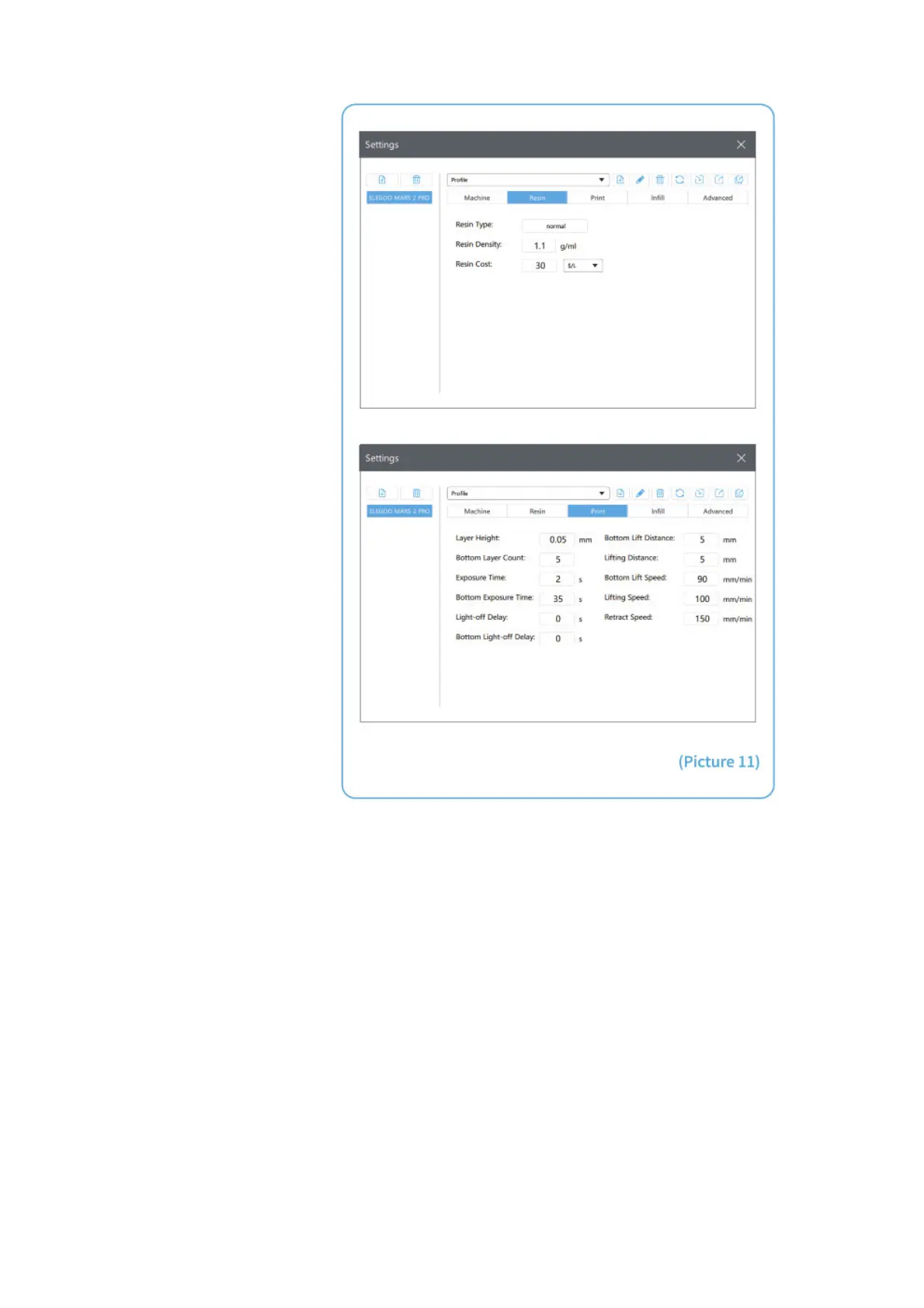
3.3 Resin Parameter (See Picture 11)
Resin Density: 1.1g/m1
Resin Cost: you can input your cost of resin and after slicing you will see how much it costs for your model.
3.4 Parameters (See Picture 11)
Layer Height: Recommended height is 0.05mm but you can set it from 0.01-0.2mm. The higher you set, the longer
time it will take for exposure time of each layer.
Bottom Layer Count: Set from 3-6 layers.
Exposure Time: Set from 1.5-3s according to the layer height and complexity of the model, the thicker you set, the
longer time will be needed.
Bottom Exposure Time: Set from 20-40s, the longer you set, the stickier the bottom will be on the build platform.
Light-off Delay/Bottom Light-off Delay: Default parameters and you don’t need to change them.
Bottom Lift Distance: When printing the bottom layers, it is recommended to set the lifting distance of the build plate
to 5mm.
Lifting Distance: When printing the normal layers, it is recommended to set the lifting distance of the build plate to 3-
5mm.
Bottom Lift Speed: When printing the bottom layers, it is recommended to set the lifting speed of the build plate to
90mm/min.
Lifting Speed: When printing the normal layers, it is recommended to set the lifting speed of the build plate to
100mm/min.
Retract Speed: When printing the bottom layers, it is recommended to set the retract speed of the build plate to
150mm/min.



 To Next Page