4 Save Model
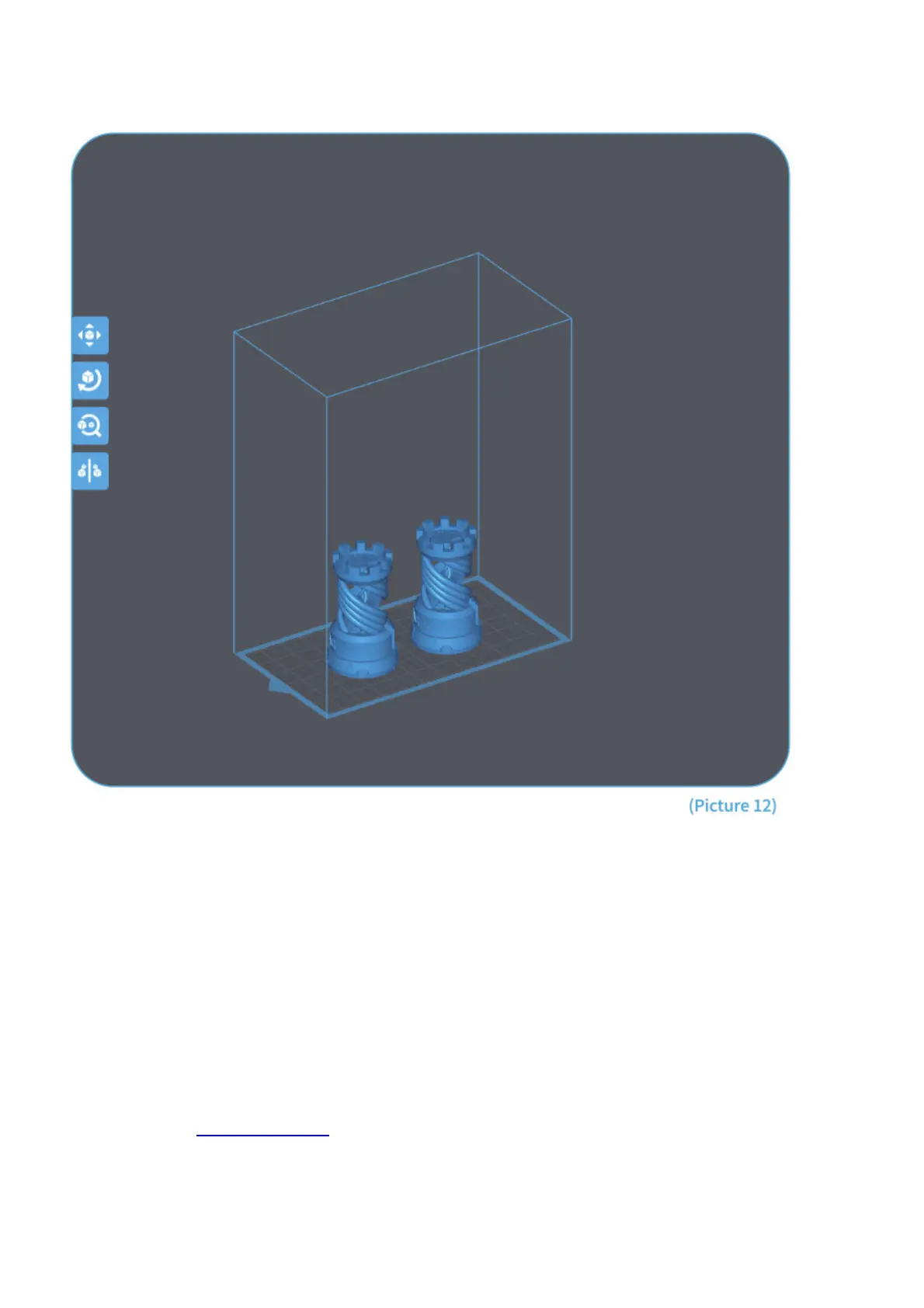
After setting up all the parameters, click “slice” and once it’s done, click “export sliced files to U Disk or SD Card”
then plug the U disk to your printer, start printing. (See Picture 12)
FAQ
1. Model doesn’t stick to the build platform
– Bottom layer exposure time is too short, please add more time.
– Model bottom has very small contact with the build platform and please add more bottom layers.
– Leveling is not well set and it will cause first layer too thick or one side is very thick and the other side is very thin.
2. Model layer breakage
– Printer is shaking during printing.
– Release liner film is very loose due to long-time usage and need to change.
– Build platform or resin tank is not fastened.
3. Mars 2 Pro can’t work
We offer a full one-year warranty on the printer and 3-month warranty for the screen. If your printer doesn’t work
please contact us at 3dp@elegoo.com. and as to better help and solve problems for you please add your order ID
in your email.
4. Printing failure
If the model was not completely printed or failed, there might be some residues left in the resin, which can be filtered
out using a funnel when you save the rest resin back into its sealed bottle. If you don’t filter out the residues the
platform may cause damage to the 2K Photocuring screen when you’re printing next time. As to the left resin on the



 To Next Page