Unbox and Test
1. Take out the printer carefully and take off the plastic film.
2. Connect power cable to printer and power supply.
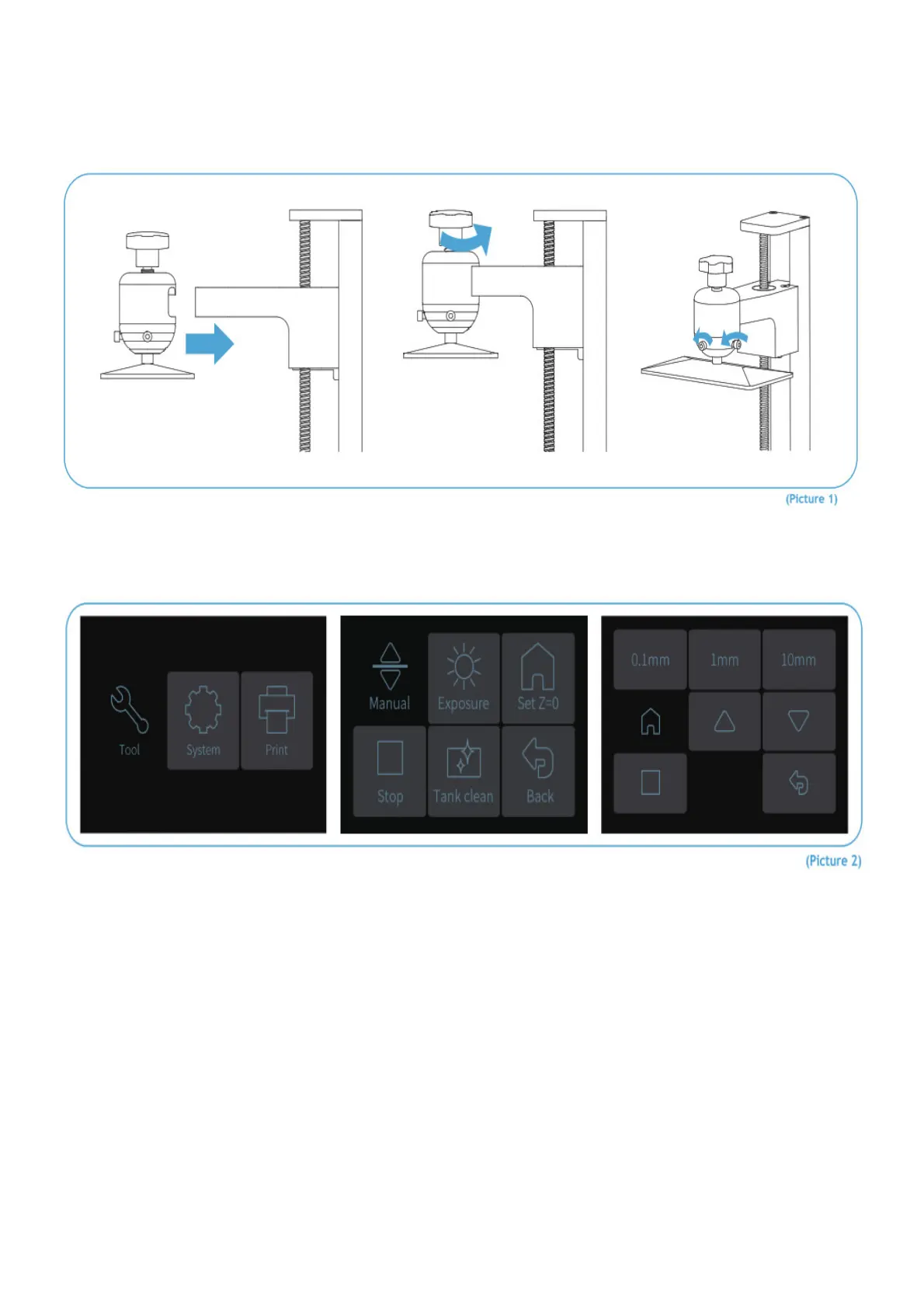
3. Please insert the build platform, fasten the rotary knob and loose the screws (see Picture 1).
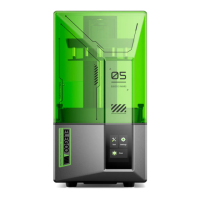
4. Remove the resin tank and put an A4 paper between the build platform and 2K LCD screen and click “Move Z axis
to zero”. (See Picture 2) When the build platform stops please use one hand to press it and make sure it’s in the
central position then fasten it using the Allen wrench. (See Picture 3)



 To Next Page