②
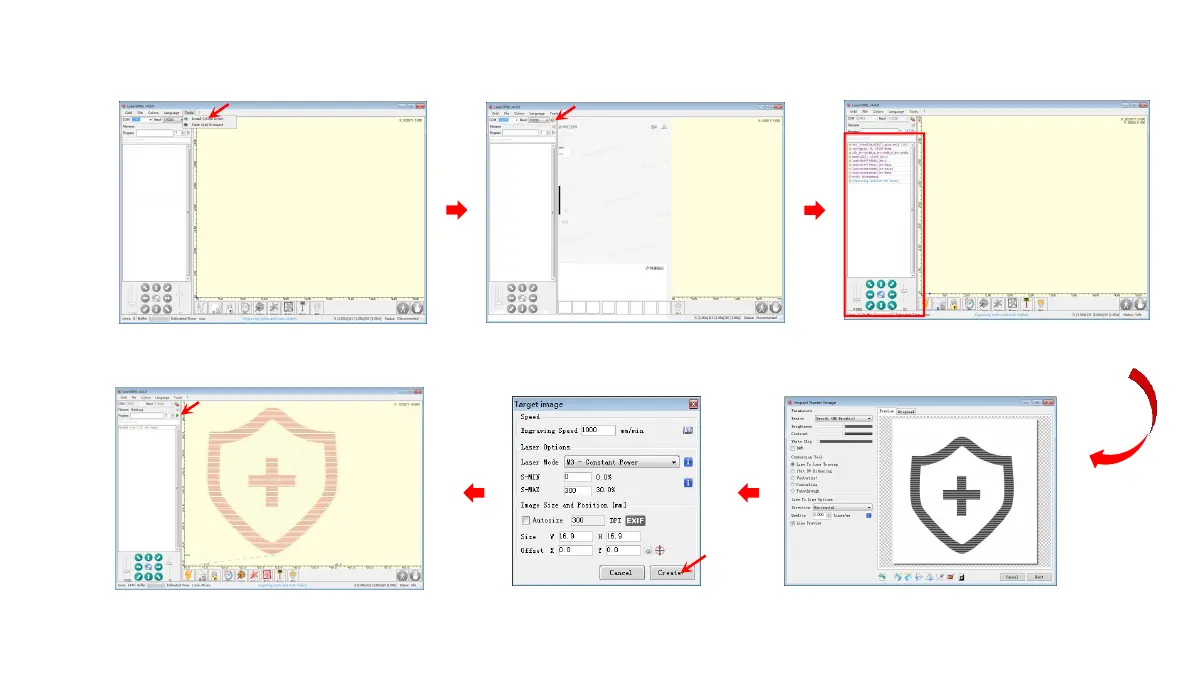
Turn on the laser engraver, connect it to the computer via USB, double-click to open the engraving software, click the connect button, and the displayed
data proves that the connection has been successful.
(Note: you cannot open more than one slicing software at the same time, as there may be conflicts, and the port cannot be connected if it is occupied.)
USB
connection
engraving
If the USB connection does not respond,
install the CH340 driver through Tool
Click connect The connection is successful if the data displayed
Just run the slicing program
Adjust the image size and laser parameters
Import target image
16














 To Next Page