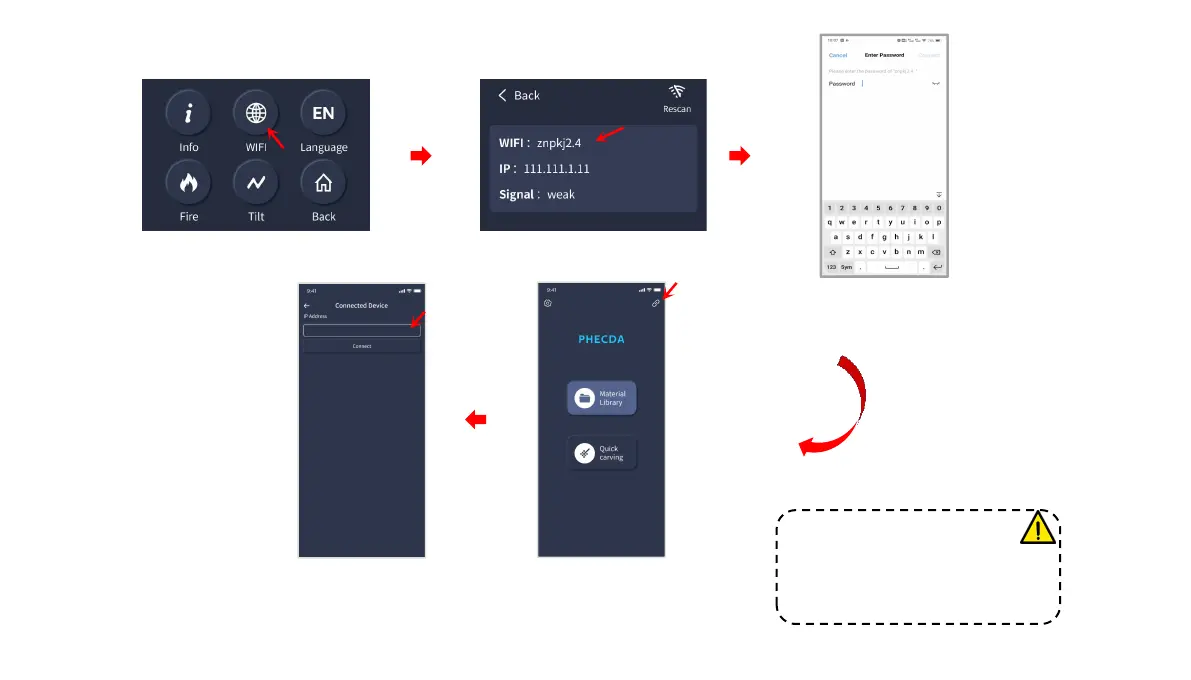
Click on the machine WiFi connection
Select Connect
Search "PHECDA APP" in your mobile app store to download
Open the PHECDA APP on your
mobile phone and click the button
indicated by the arrow
Enter the machine IP address to
connect successfully
APP engraving
③
Connect to the WiFi signal on your device.
Default password: 12345678
Note: When using the APP to
engrave and cut, you need to insert
the TF card, otherwise you cannot
upload the engraving files.
17














 To Next Page