12
DE
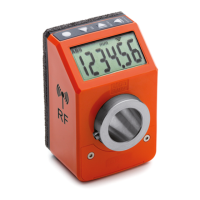
DD52R-E (GN 9053)
-
DD52R-E-RF (GN 9153)
Modelle, alle Rechte vorbehalten in Übereinstimmung mit dem Gesetz.
Bei Reproduktion der Zeichnungen, bitte immer Quellenangabe.
7.3 Setting the absolute reference
After having selected the absolute measuring mode and stopped the shaft in the
starting position or in the reference position, press the key combination
+
to set the absolute value to the sum of the values of the parameters
OrG
(absolute reference value) and the selected
OFFS
(compensation value).
The value of compensation (offset) allows you to adjust the value shown on the
display in such a way that takes into account, for example the wear or the tool
change. The system allows to store up to 10 values of compensation.
By pressing the key combination
+
, the screen shows the last
compensation value used (eg
OFS
0
).
Choose the desired compensation value by pressing the key or , and
then press the key to confirm.
The screen will display the absolute value equal to the sum of the values of the
parameters
ORG
and
OFFS
.
To program the offset values, see parameter
OFFSET
of cap. 8.
It is possible to change the function of the keys combination by
chosing one of the available options in the voice menu
__0__0
The available options are:
-
L_OrG
: the key combination + allow to choose an offset
compensation and set the origin value;
-
OFF
: the keys combination + is not associated to any function in the
operating mode.
To program the parameters listed above, see cap. 8.
7.4 Direct programming of the absolute reference value (origin), of the
compensation value (offset), of the reading after one revolution (step)
The function of the keys combination + allows direct access to the
programming of one of the following parameters: Origin, Step or Offset.
It is possible to change the function of the keys combination by
chosing one of the available options in the voice menu
0____0
__0__0
0____0



 To Next Page