14
DE
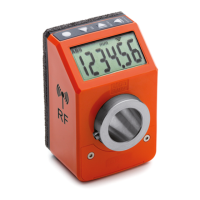
DD52R-E (GN 9053)
-
DD52R-E-RF (GN 9153)
Modelle, alle Rechte vorbehalten in Übereinstimmung mit dem Gesetz.
Bei Reproduktion der Zeichnungen, bitte immer Quellenangabe.
PrOG_t
: choose to program one of the 32 available target positions, then press
to start programming.
It is possible to change the function of the keys combination by
chosing one of the available options in the voice menu
___0_0
The available options are:
-
tArGet
: enable the direct load or program targets functions
-
OFF
: the keys combination
+
is not associated to any function in the
operating mode.
WARNINGS:
When a target is loaded the mesure unit cannot be changed.
7.5.1 Reaching the target position
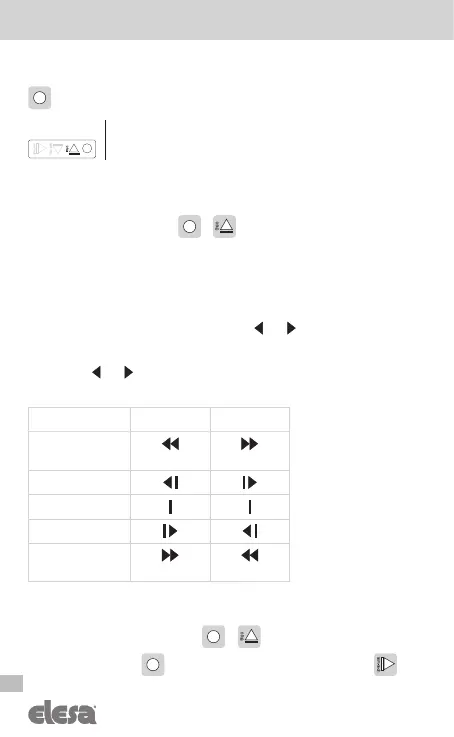
If a target is selected, the device suggests the shaft rotation direction in order to
reach the target position by using the symbols and .
It is possible to set the tolerance of the target by means of the
P_tOLL
parameter
(see cap. 8).
The symbols and works depending from the
dir
and
P_tOLL
parameters,
as shown below:
dir –o dir o--
M < T - Toll
(blinking) (blinking)
T - Toll ≤ M < T
M = T
T < M ≤ T + Toll
M > T + Toll
(blinking) (blinking)
If a target is selected it is possible to cancel it by entering the programming
mode and by selecting the
StoP_t
option. Alternatively, is possible to cancel
it by pressing the keys combination
+
and confirm the
StOP_t
com-
mand pressing the key . To keep the target selection press the key .
___0_0
T = set target
M = measured value
Toll = tolerance (see Ptoll)



 To Next Page