5 Installation and Commissioning
87
Note:
For longer time storing, it is recommended to remove the batteries from the device or, if
necessary, at least disconnect them by pulling out the battery connector.
5.7.3 Installing SIM Card in the Modem
5.6.3 Install the SIM card into the modem
The device is delivered without the modem SIM card. Before using the modem, the SIM card
received from the operator must be inserted into the modem. The SIM card holder is designed for
miniSIM size of the SIM card.
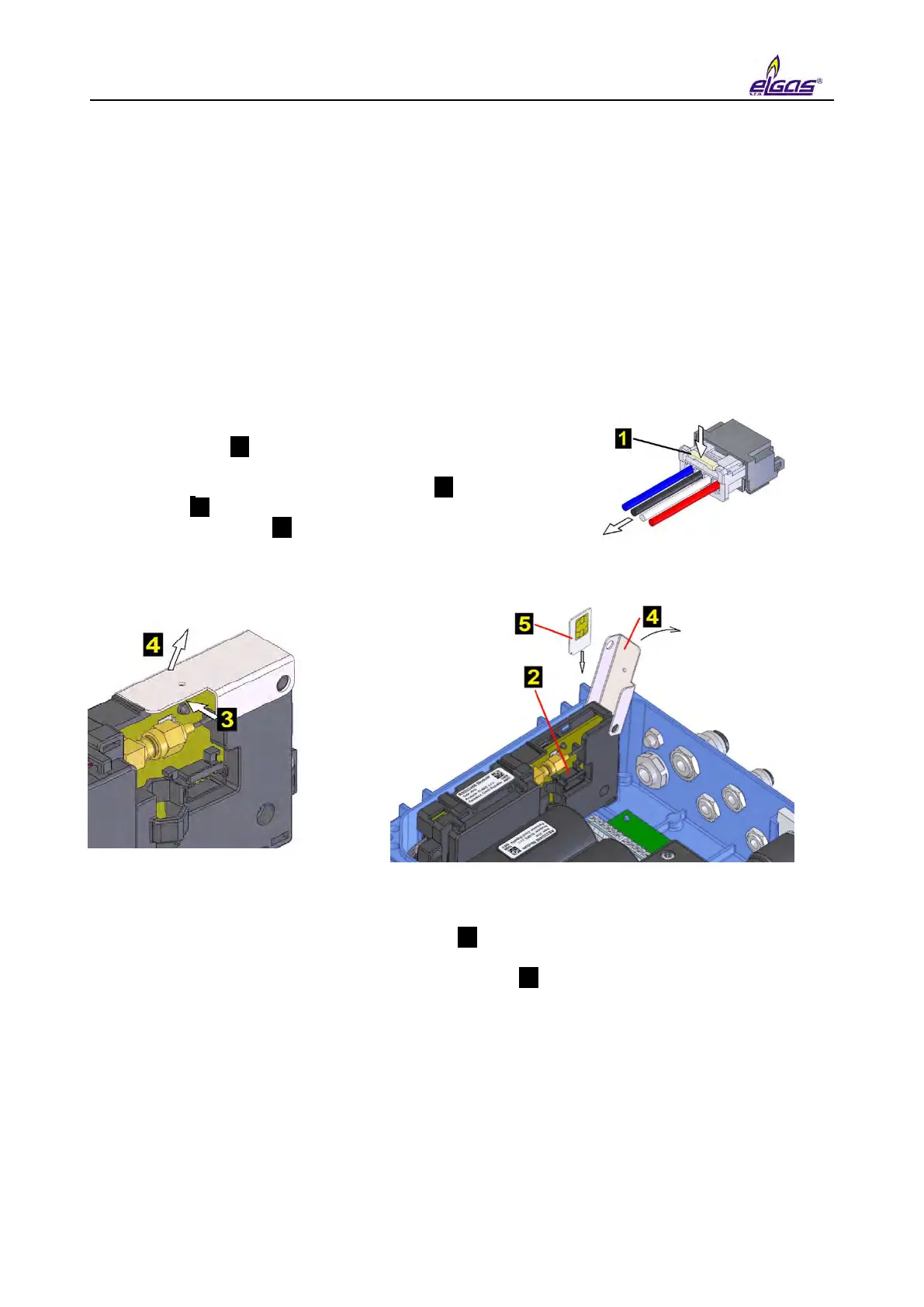
To insert/remove the SIM card:
If the external power supply of the modem is used,
disconnect the power supply from the PWR2 terminals.
Press lock 1 and pull gently the cable out to disconnect
the connector of the battery modem.
Push slightly in the direction of arrow 3 on the SIM card
cover 4 and tip it to the vertical position.
Insert SIM card 5 into the holder and push it until you
hear a click.
To remove the SIM card, press the card until you hear a click, release the pressure, and
the card moves several millimetres out. Grasp the card and remove it from the holder.
After inserting the SIM card, close cover 4 and push it slightly in the direction of arrow 3
for easier insertion.
Connect the connector of the battery of modem 2 . For a device without external power
supply of the modem, connect the connector to the modem. For a device with the external
power supply of the modem, connect the connector to the S4-PWR2 module and then
connect the wires to the PWR2 terminals of the external power supply of the modem.


 To Next Page