6 Operating the Device
93
6.4 Actual Values Menu
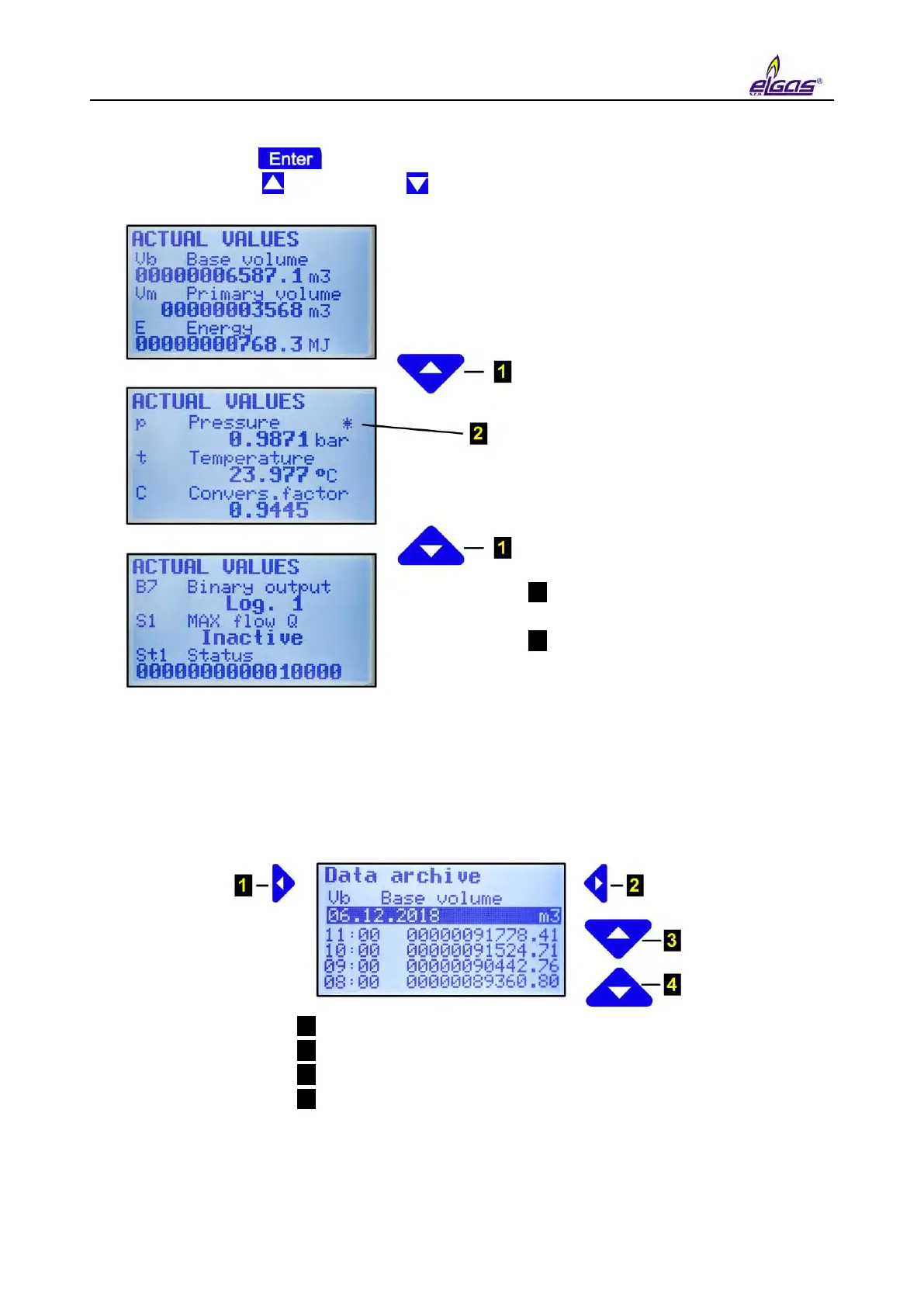
By pressing the key the actual values are displayed. To scroll through the displayed
data, use the arrow up and down keys .
1 Scrolling through the displayed
values
2 The asterisk flag indicating
exceeding the measuring range of
the analogue quantity
Fig. 48 Example of actual values display
6.5 Archives Menu
For data, daily, monthly, and binary archives, the way the data is displayed is identical and can be
seen in the figure below.
1 Moving to the previous quantity
2 Moving to the next quantity
3 Moving forward in time
4 Moving backward in time (to the history)
Fig. 49 Navigation in the archives (in this case, with archiving frequency 1 h)
The binary archive is displayed in the same way, only the records are not stored in the archive
with the archiving frequency, but at times when the status of some of the stored quantities has


 To Next Page