6 Operating the Device
90
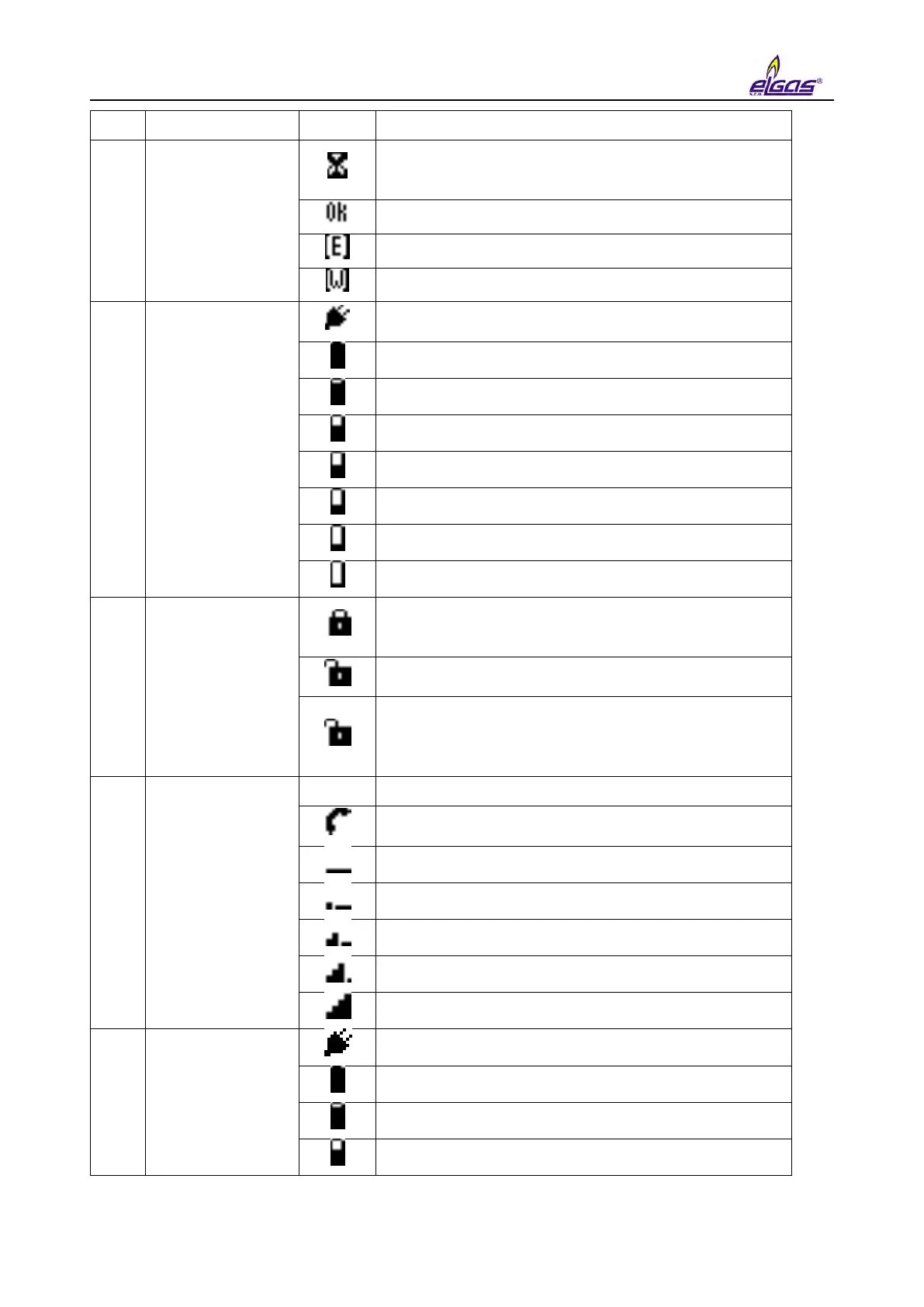
Device status
(sum status)
The compressibility is being calculated or the
firmware is verified after the remote download
update
The device works flawlessly
An error has occurred in the device
The device has generated a warning message
Power state of
the device
The external power supply of the device is
connected
Battery charge status 100 %
Battery charge status 75 ÷ 91%
Battery charge status 58 ÷ 75 %
Battery charge status 42 ÷ 58 %
Battery charge status 25 ÷ 42 %
Battery charge status 8 ÷ 25 %
Battery charge status 0 ÷ 8 %
Status of the
service and
metrological
switch
Writing to the device disabled
(both the service and metrological switches are in
the OFF position)
Writing to the service area enabled
Blinking - Writing to the metrological area
enabled
(metrological switch is ON)
Status of the
modem, signal
strength
The modem is off or not set in the parameters
The modem is registering (connecting) in (to) the
network
Modem connected, signal strength 0 ÷ 25 %
Modem connected, signal strength 25 ÷ 50 %
Modem connected, signal strength 50 ÷ 75 %
Modem connected, signal strength 75 ÷ 90 %
Modem connected, signal strength 90 ÷ 100 %
Power state of
the internal
modem
External power supply of the modem connected
Battery charge status 100 %
Battery charge status 75 ÷ 91 %
Battery charge status 58 ÷ 75 %


 To Next Page