16
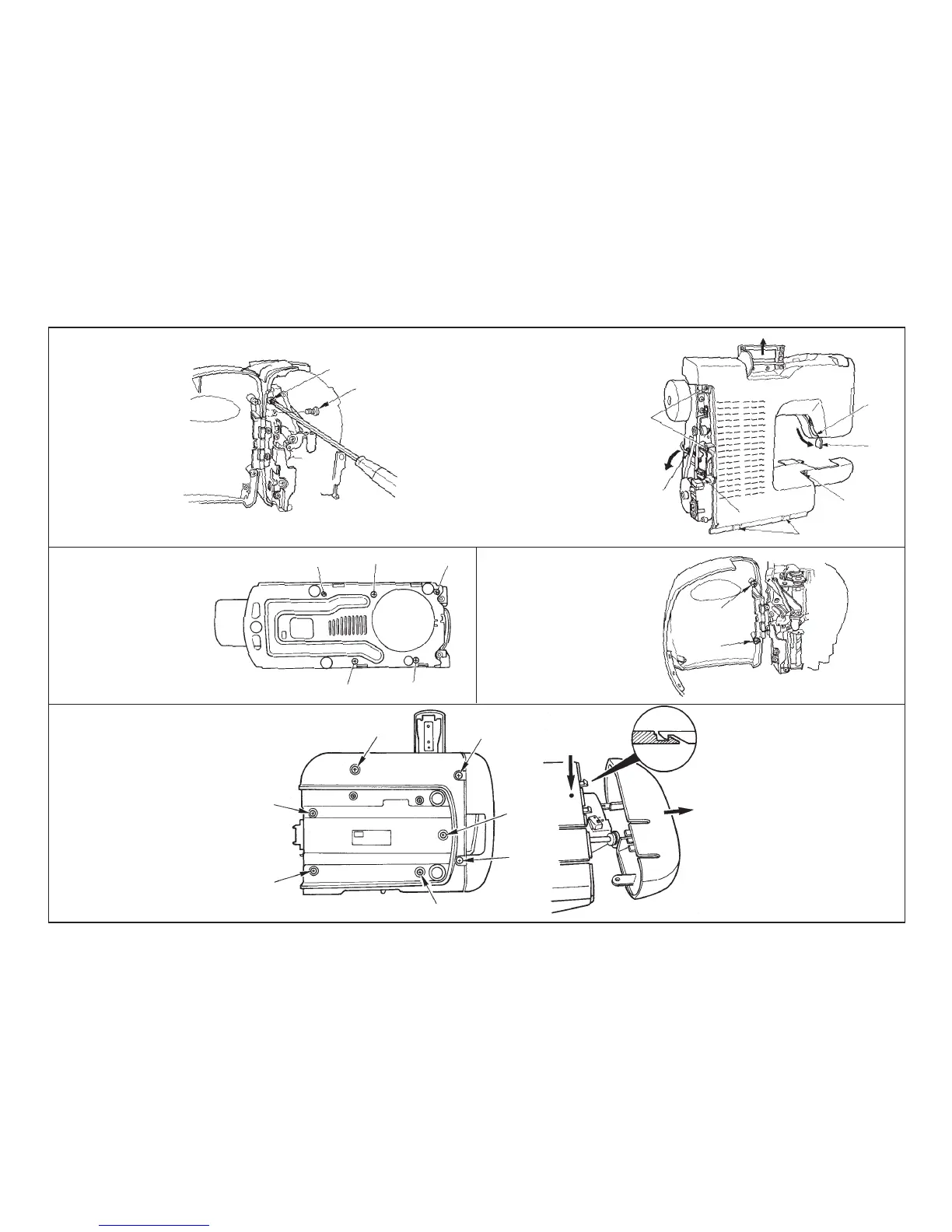
I. Frame of embroidering device
• Remove screws 1 through 7.
Pressing (a), pull (b).
H. Face plate cover
• Remove screws 1 and 2.
F. Rear panel
• Loosen screw 1 and
remove screw 2.
G. Bottom plate
• Remove screws 1 through 5.
• Remove screws 3 and 4.
• Lower presser lifting lever 5.
• Lift handle 6, draw section 7 and
remove the rear panel.
• Remove claw section 8 with the
under cover.
• Loosen 9 and tilt !0.
1
2
3
4
5
6
7
8
9
!0
1
2
3
4
5
1
2
(a)
(b)
1
2
3
4
5
6
7


 To Next Page