11
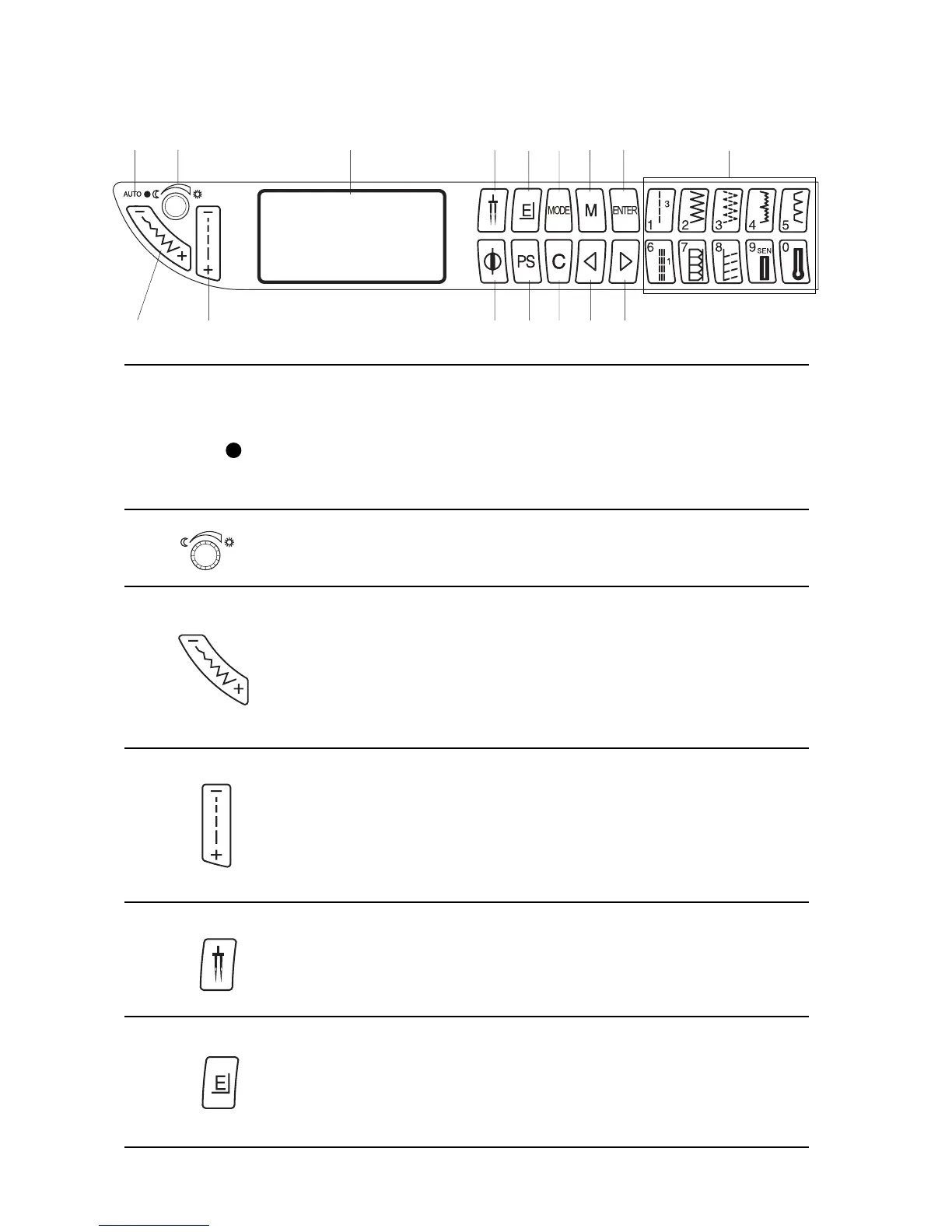
Keyboard Selection Keys
1. AUTO tension LED
The “AUTO” LED indicates the needle thread tension setting.
Green Light – Needle thread tension is set on “AUTO”
No Light – Needle thread tension is manually set between 0 and 9.
Flashing Light – Selected stitch requires a manual setting.
2. LCD Screen Brightness Control
Lighten or darken the screen with this dial.
3. Stitch Width and Needle Position Key
Press “–” or “+” side of key to change setting.
Press “–” or “+” to move needle position left or right.
Straight stitches (1, 6, 031, and 078) can be sewn from many needle
positions by pressing the “–” or “+” side of the key.
Center needle position is 3.5.
4. Stitch Length Key
Press “–” or “+” side of key to change setting. Depending on the stitch
selected, stitch length can be set between 0.0 and 5.0.
NOTE: Fine fabrics should have a stitch length between 1.5 and 2.5,
medium fabrics between 2.0 and 3.0 and heavier fabrics between
3.0 and 4.0.
5. Twin Needle Key
Press this key to reduce the width of an individual stitch. The twin needle
symbol is shown in the LCD screen when it is activated. Press the key
again to cancel twin needle function.
6. Elongation Key
Satin stitches 035 to 050 can be lengthened up to five times their regular
size without the stitch length varying. Press this key to change the
elongation. The LCD screen displays the elongated size; X1, X2, X3, X4
or X5.
AUTO
1
2
3
4
56
78
9
10 11 12
13 14
15
16














 To Next Page