15
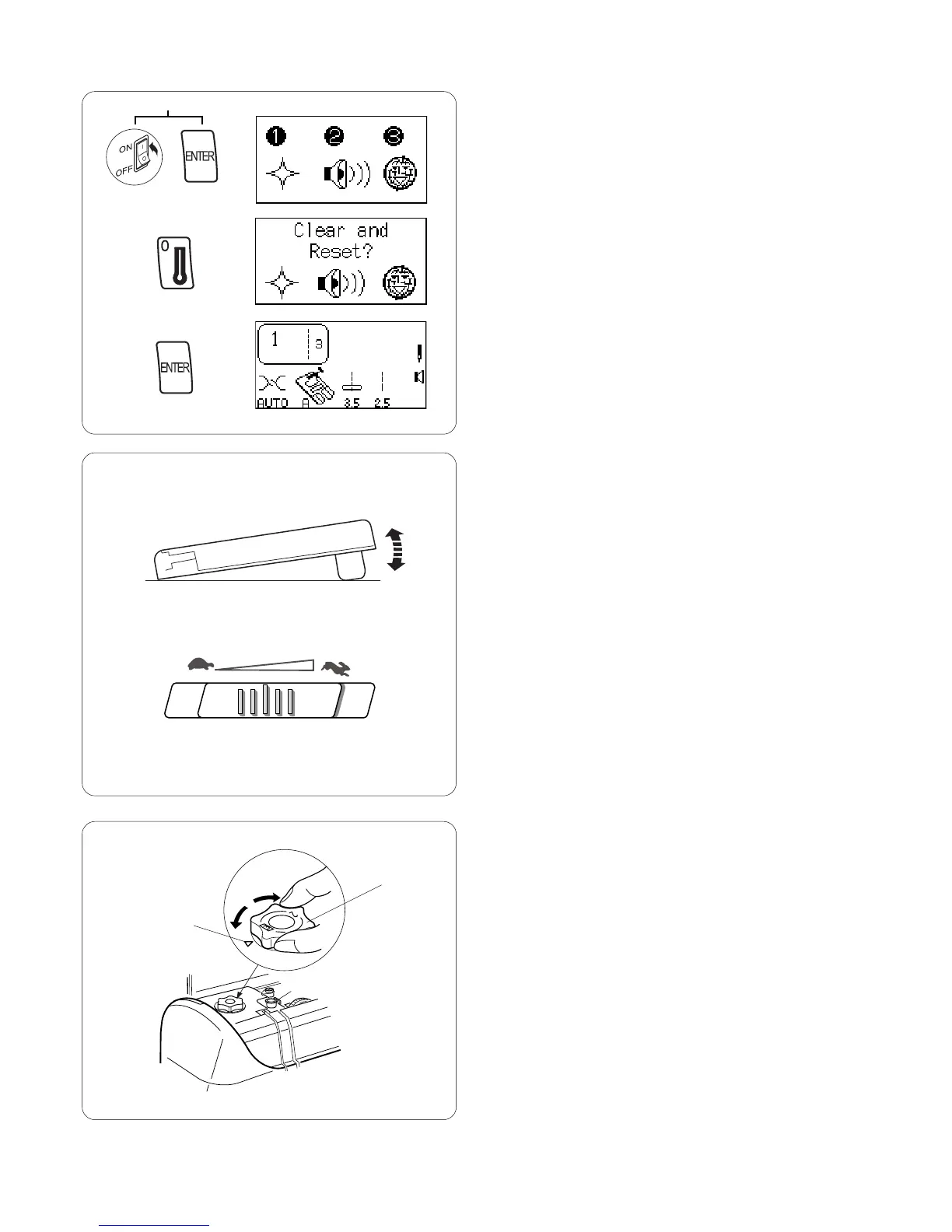
Reset to Factory Default
It is possible to reset the machine to the factory defaults
with English language as default.
Turn OFF the power switch. Press “ENTER” key while
turning power switch ON. Message screen appears.
Press “0” key. Message screen appears.
Press “ENTER” key to confirm and reset to factory
default.
OR
Turn off power switch to cancel the reset.
Controlling Sewing Speed
Sewing speed can be varied with the foot control. The
harder you press on the foot control, the faster the
machine runs.
The maximum sewing speed can be varied by sliding the
speed control lever. For a faster speed, slide it to the
right; for a slower speed, slide it to the left.
Foot Pressure Dial
Align the foot pressure dial q with the setting mark w at
“3” for regular sewing.
Reduce the pressure to “2” for appliqué, cutwork, drawn
work, basting and embroidery.
Velours and knits with a lot of stretch may require a “1”
setting.
q
w














 To Next Page