39
Permanent Memory
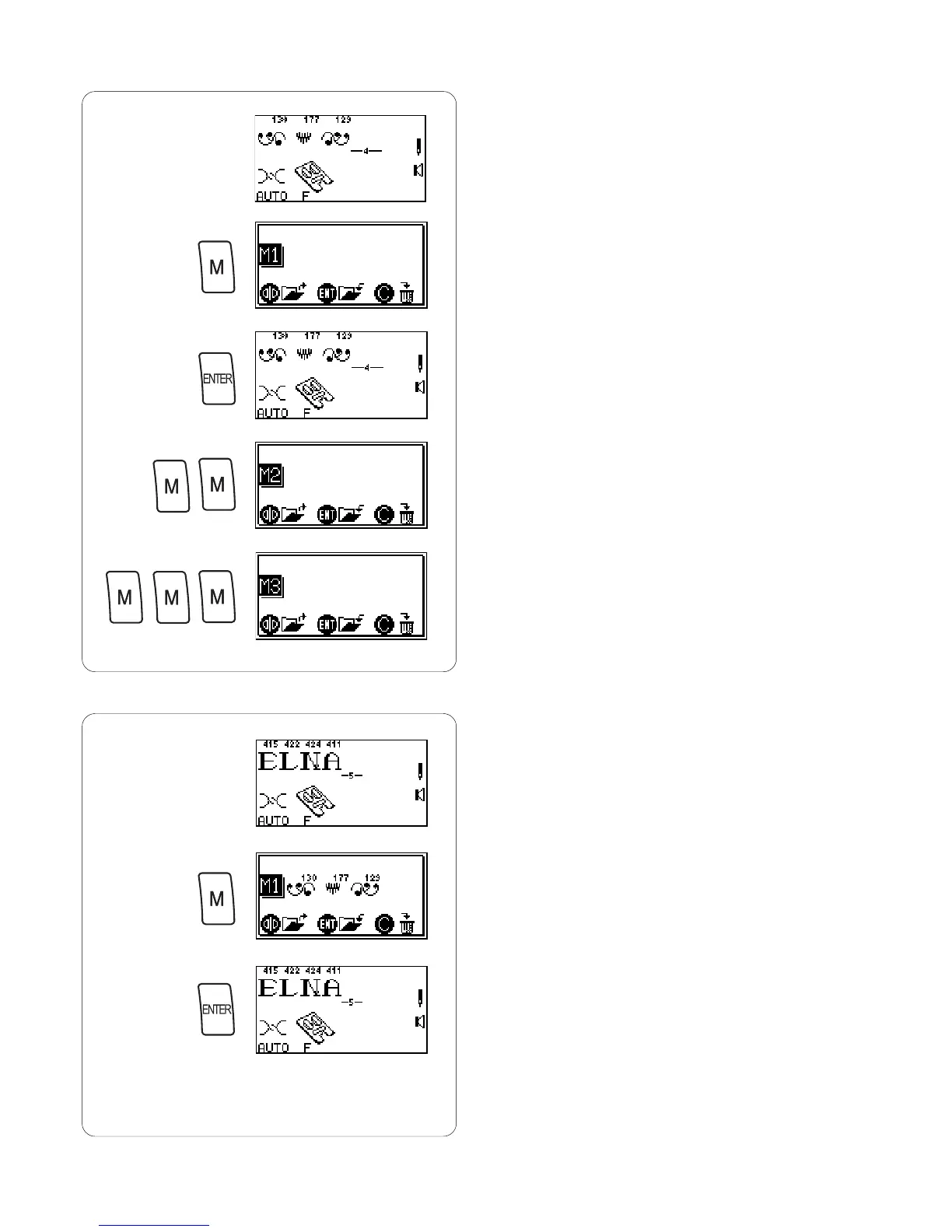
It is possible to retain a sequence for future use even if
the machine is turned off. Simply save the sequence in
one of the three permanent memories. Each memory has
a capacity of 50 stitches.
Saving Memory
q Program 130, 177 and 129.
w Press “M” key 1 time to activate Memory 1 (M1).
e Press “ENTER” key to store. (An hourglass will briefly
appear.)
NOTE: Activate Memory 2 (M2) by pressing “M” key 2
times. Activate Memory 3 (M3) by pressing “M”
key 3 times. Save a sequence in M2 or M3 using
same method.
Overwriting Memory
q Program 415, 422, 424 and 411.
w Press “M” key.
e Press “ENTER” key to overwrite. (An hourglass will
briefly appear.)
NOTE: If you do not want to overwrite M1, press “M” key
3 times to exit memory options.
q
w
e
q
w
e














 To Next Page