34
Combining a Sequence
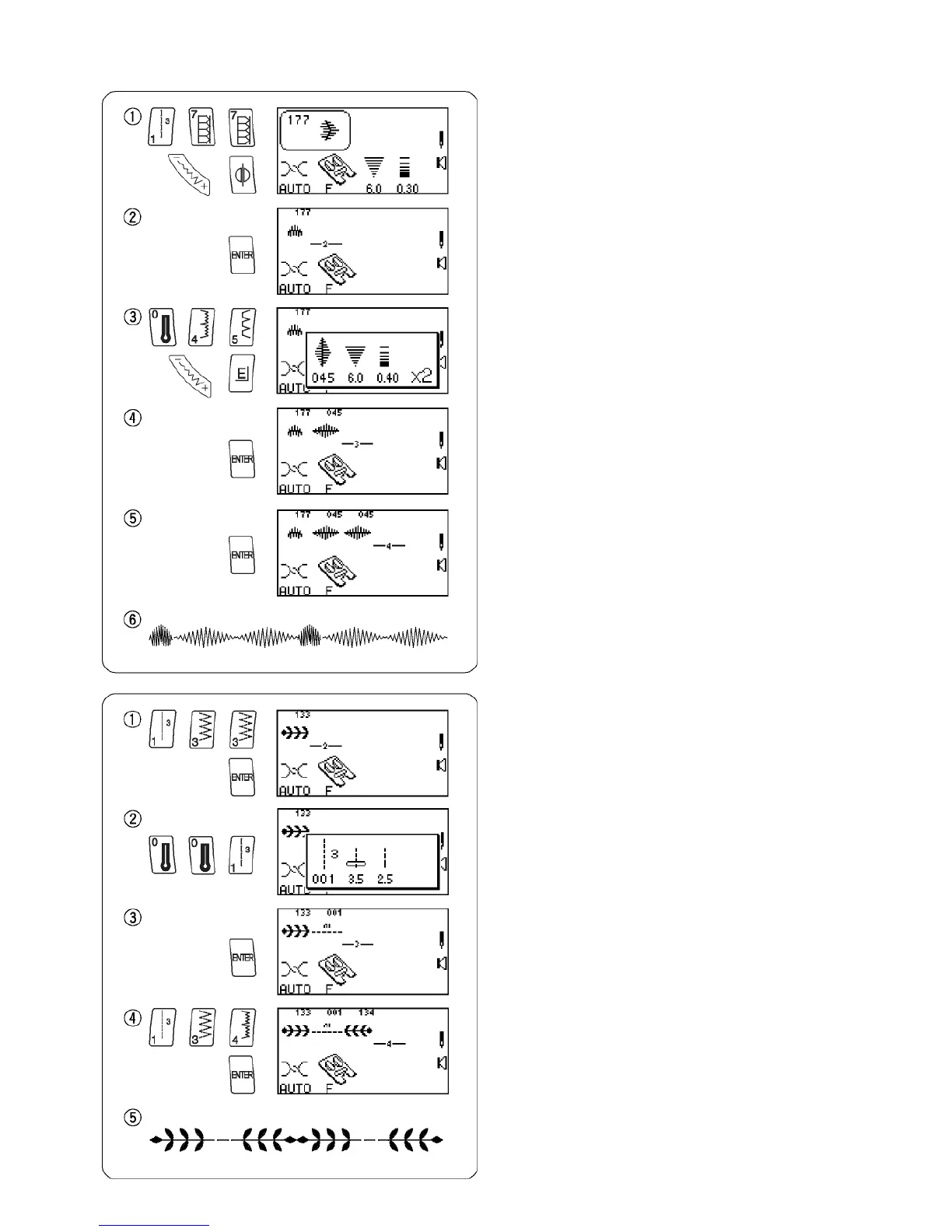
Select 177.
(Press “Mirror Image” key and change stitch width or
length if desired.)
Press “ENTER” key to memorize. A blinking cursor will
appear to indicate where next selected and entered
stitch will be memorized within the sequence.
Select 045.
(Press “Elongation” key and change stitch width or
length if desired.)
Press “ENTER” key.
Press “ENTER” key.
Place fabric and stabilizer under foot and sew
memorized sequence repeatedly.
NOTE: Total capacity of one sequence is 50.
Inserting a Second Color
Select 133. Press “ENTER” key.
Select 001.
Press “ENTER” key.
Select 134. Press “ENTER” key.
Place fabric and stabilizer under foot and sew
memorized sequence twice.














 To Next Page