13
15. Stitch Selection Keys
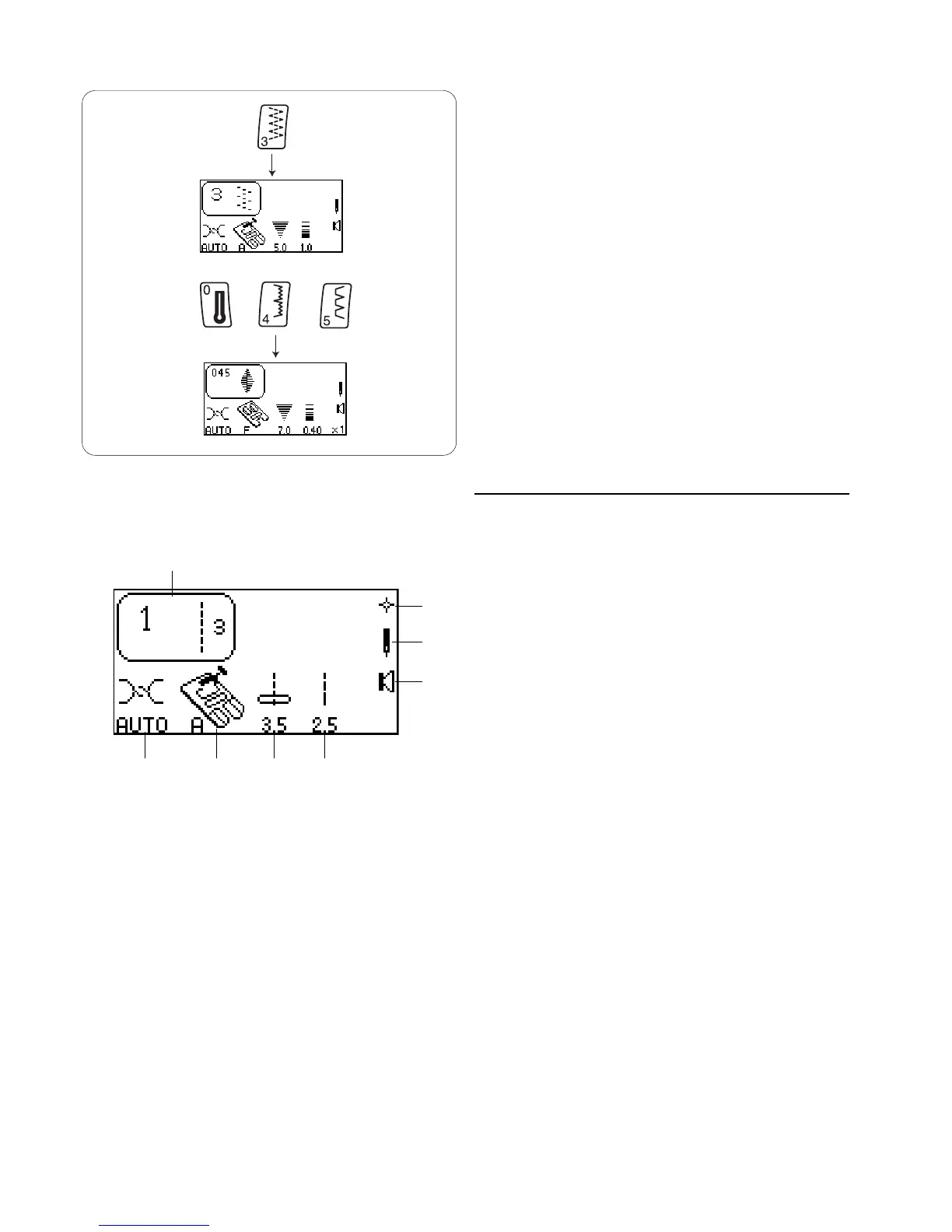
You can select a stitch in the Direct Select Mode by
pressing the key that is illustrated with the desired
stitch.
To select stitches in the 3 Digit Mode, simply press
the three digits for the desired stitch. To cancel the
stitch you selected, press the “C” key or select a
different stitch.
16. Symbols in the LCD Screen
q Selected stitch.
w Recommended setting for needle thread tension
dial. (If the dial is not set on “AUTO”, a numerical
value is shown.)
e Elna recommends using this presser foot for best
sewing results.
r Stitch width or needle position – computer
automatically sets width or needle position after a
stitch is selected.
t Stitch length – computer automatically sets length
after a stitch is selected.
y Quick Resumption Mode. Switch off the machine.
The last stitch(es) that were sewn will appear
when machine is switched on. See pages 14-15.
u Twin or single needle.
iSound Mode. Machine beeps after touching any
key. See pages 14-15.
+
+
q
y
u
i
w
e
r
t














 To Next Page