Chapter Three Installation
MAN_105G_1.5 Page 28
DIO 1
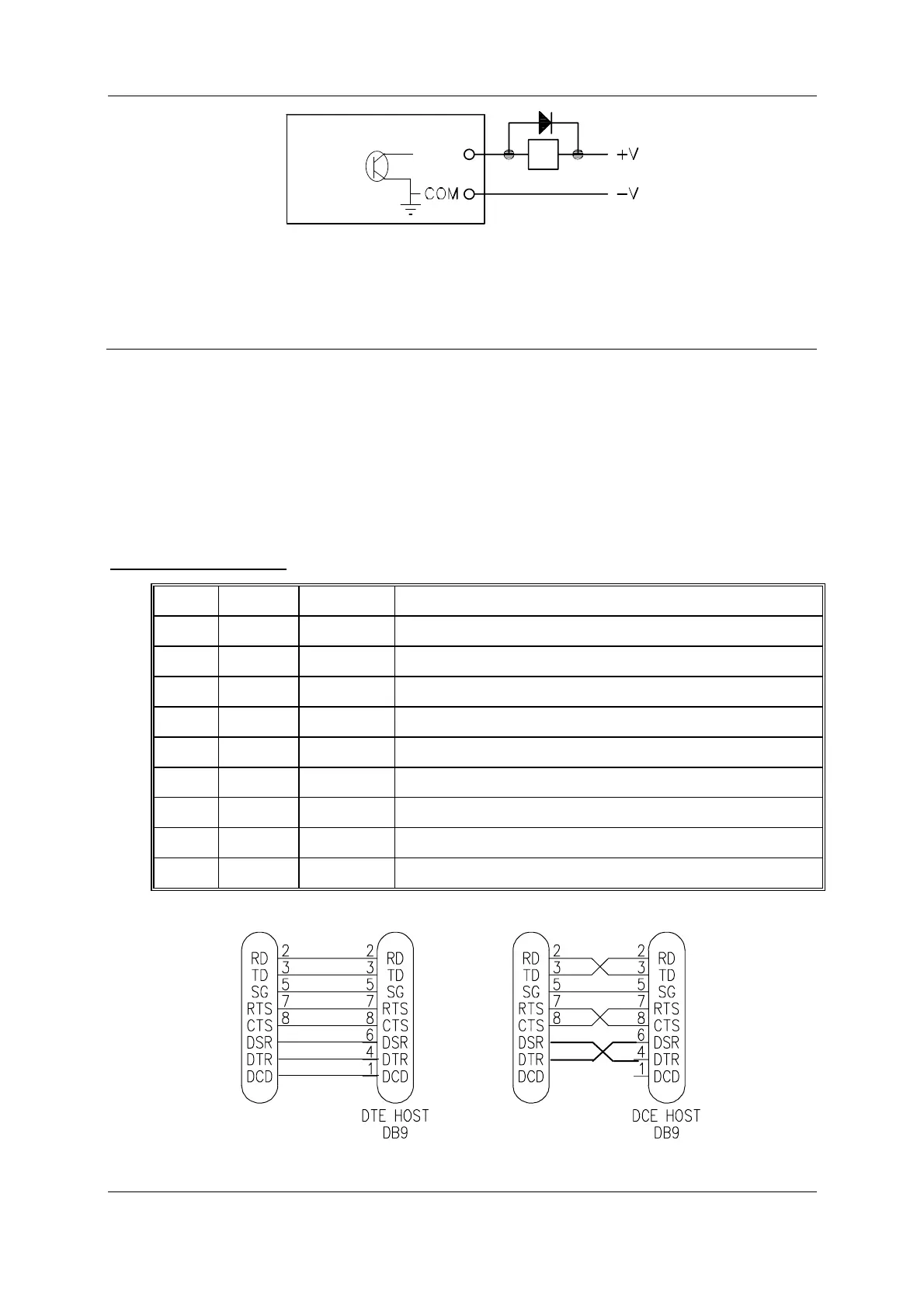
The output circuit is connected to the appropriate "DIO" terminal. Each digital output circuit
includes a LED indicator which is lit when the digital output is active.
3.5
Serial Port
3.5.1 RS232 Serial Port
The serial port is a 9 pin DB9 female and provides for connection to a terminal or to a PC for
configuration, field testing and for factory testing. It is also used by the Modbus/DF1 version
for data-bus connection.
This port is internally shared with the RS485 - ensure that the RS485 is disconnected before
attempting to use the RS232 port. Communication is via standard RS232 signals. The 105G
is configured as DCE equipment with the pinout detailed below.
DB9 Connector Pinout
Pin Name Direction Function
1DCDOut
Used for "active" signal.
2 RD Out Serial Data Output
3 TD In Serial Data Input
4DTRIn
Data Terminal Ready - may be used by Host Protocol Driver
5 SG Signal Ground
6 DSR Out Data Set Ready - always high when unit is powered on.
7 RTS In Request to Send - may be used by Host Protocol Driver
8 CTS Out Clear to send - may be used by Host Protocol Driver
9 RI Ring indicator - not connected
905U-C
DB9
905U-C
DB9



 To Next Page