Chapter 6 Diagnostics
MAN_105G_1.5 Page 78
6.2
Diagnostics Menu
The 105G provides both offline and online diagnostic features to assist with troubleshooting.
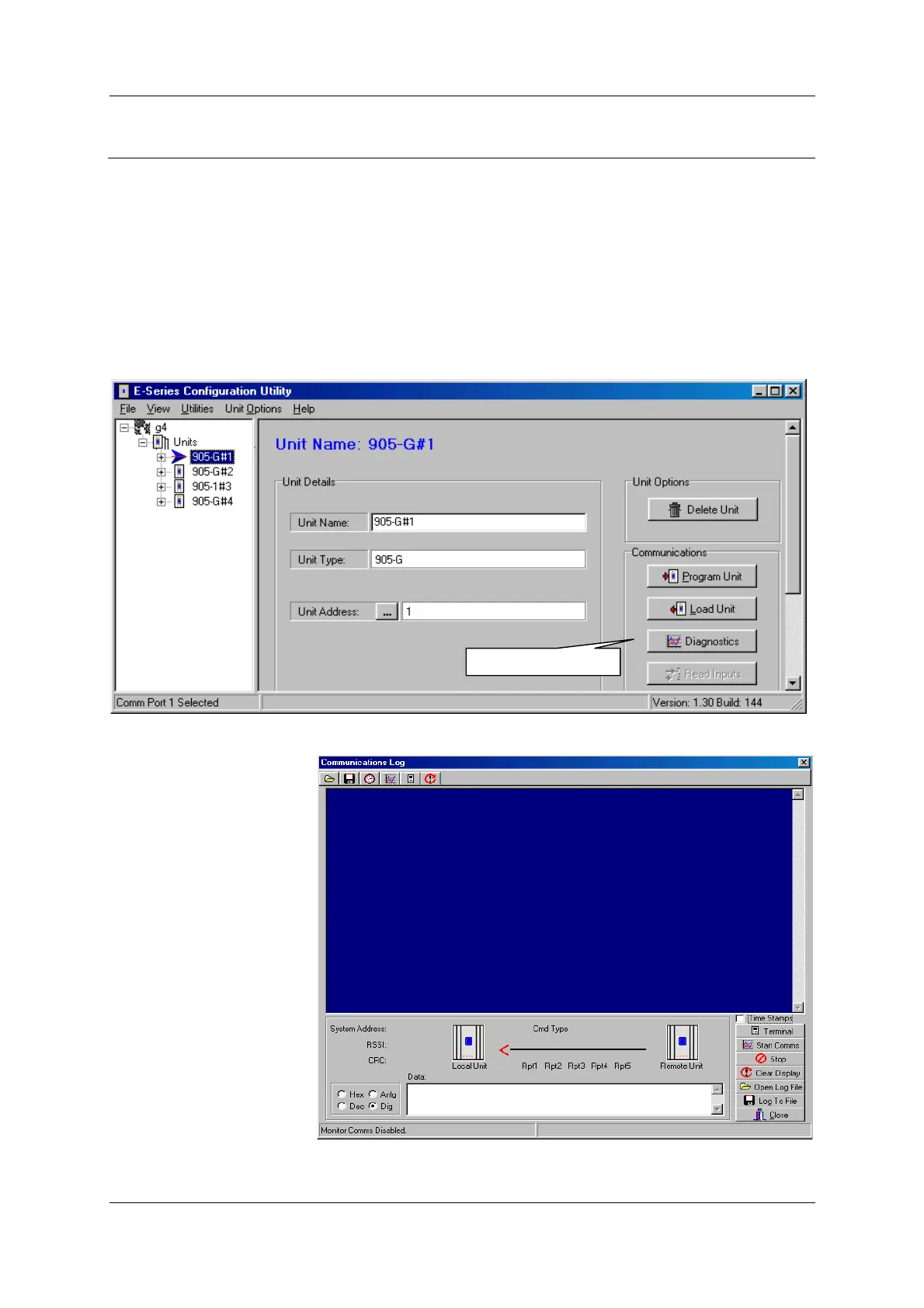
These features may be selected from the Configuration software using the “Diagnostics”
feature.
For the Modbus/DF1 module, all diagnostics features are effectively off-line as the data bus
needs to be disconnected from the data bus to view the diagnostics. For the Ethernet and
Profibus units, some diagnostic features can be viewed via the RS232 port while the data bus
is connected and the 105G module is operational.
To view diagnostics, first open the project configuration using the Configuration software:
A “Terminal” screen will
appear. With this screen,
you can enter “off-line”
or “on-line” diagnostics.
You will need to connect
the PC to the 105G using
the RS232 configuration
cable.
Select the “Terminal”
box.
Select for Diagnostics



 To Next Page