EasyManua.ls Logo

ELPRO 105U - Ethernet Diagnostics

ELPRO 105U
89 pages
Print Icon
To Next Page IconTo Next Page
To Previous Page IconTo Previous Page
Loading...
Chapter 6 Diagnostics
MAN_105G_1.5 Page 84
6.3
Ethernet Diagnostics
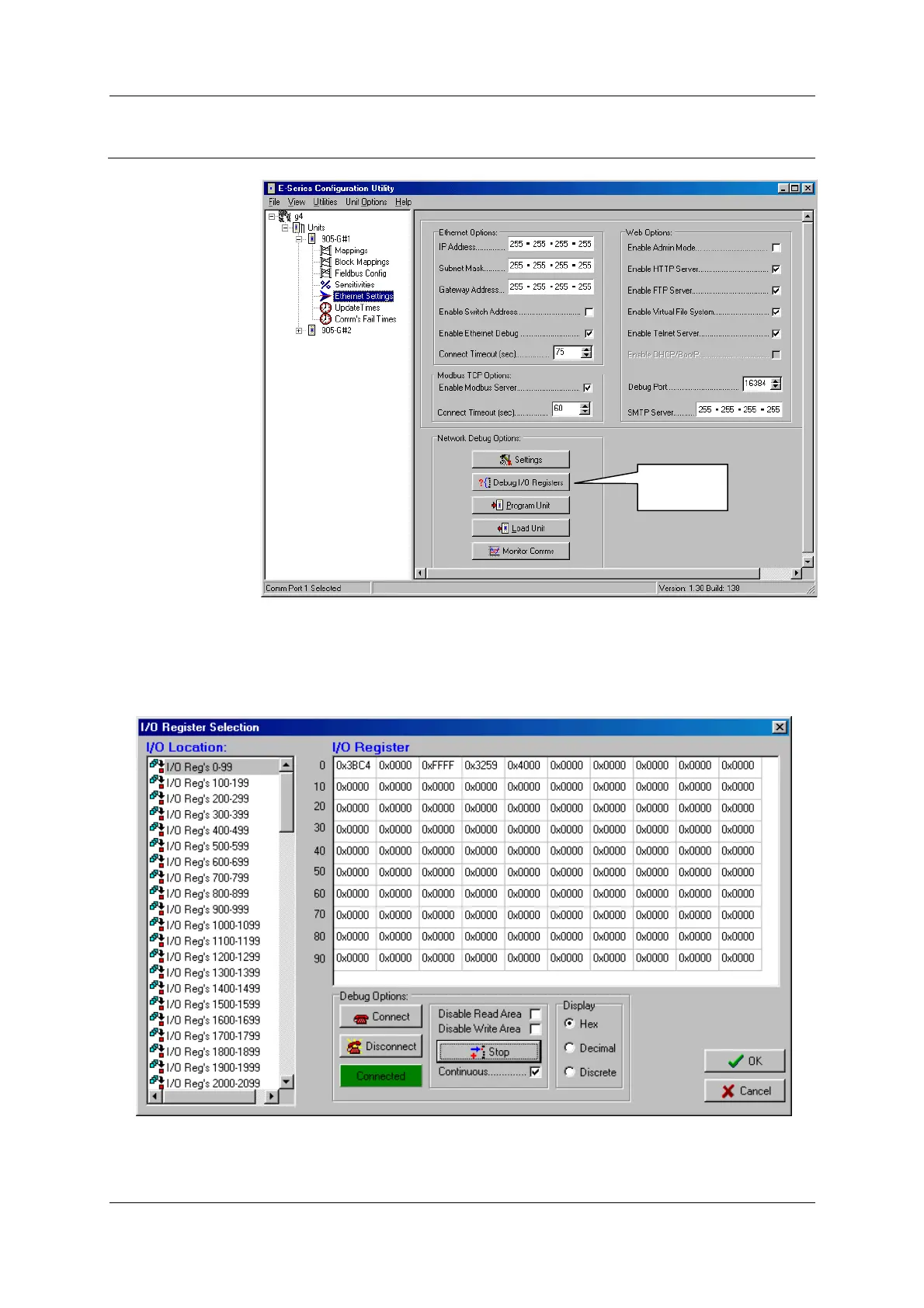
Read and Write
image array can
also be done via
the Ethernet port
by selecting
‘Debug I/O
Registers’ from
within the
Ethernet Settings
window in the
configuration
software. The IP
address of the
module must
have previously
been configured
in the module -
refer to section
4.8.2 for setting
IP address.
To debug the registers you will need to select ‘Connect’ under Debug Options. The Green /
Red box will indicate the Connected / Disconnected State. Once connected select “Read” and
check “Continuous”. The display option allows you to view the registers in different formats,
and you can select which I/O register you want to view from the left-hand side of the screen.
Ethernet
diagnostics

Table of Contents

Related product manuals