105U-G Wireless Gateway User Manual
Page 85 © August 2003
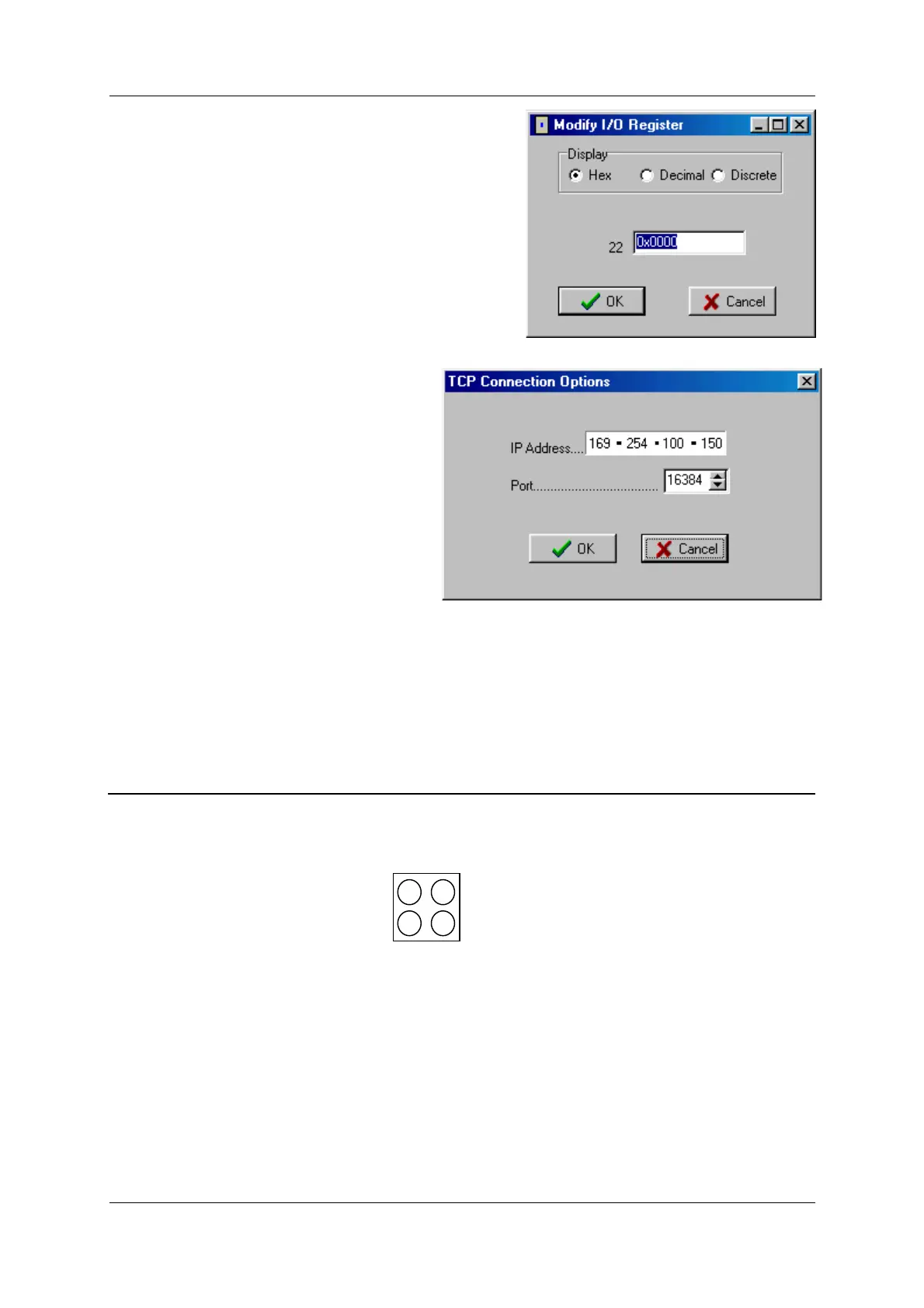
To write to a register double click with mouse on the
register and a pop up box will appear as shown
below. Enter value and press ‘OK’.
You can disable the links between the I/O registers
and the Ethernet interface by selecting “Disable Read
Area” and “Disable Write Area” - if you do this,
remember to re-enable before you leave the
diagnostics screen.
Settings
You can change your TCP Connection
setting i.e. IP address and port.
Program / Load Unit
These options allow you to program and
upload the configuration from the module
via the Ethernet port. Must ensure the IP
address has been set on the module before
uploading the Configuration
6.4
Ethernet / Profibus Indicating LEDs
6.4.1 Ethernet Indicating LED’s
The module is equipped with four LED's mounted at the front and one LED on the board,
used for diagnostics purposes.
Led Positions are shown below.
The function of the LED's is described in the table below.



 To Next Page