105U-G Wireless Gateway User Manual
Page 47 © August 2003
the register. In the above example, if a value of hex 2000 is written to register 9500, the
block mapping would be triggered.
4.4.3 Time Period
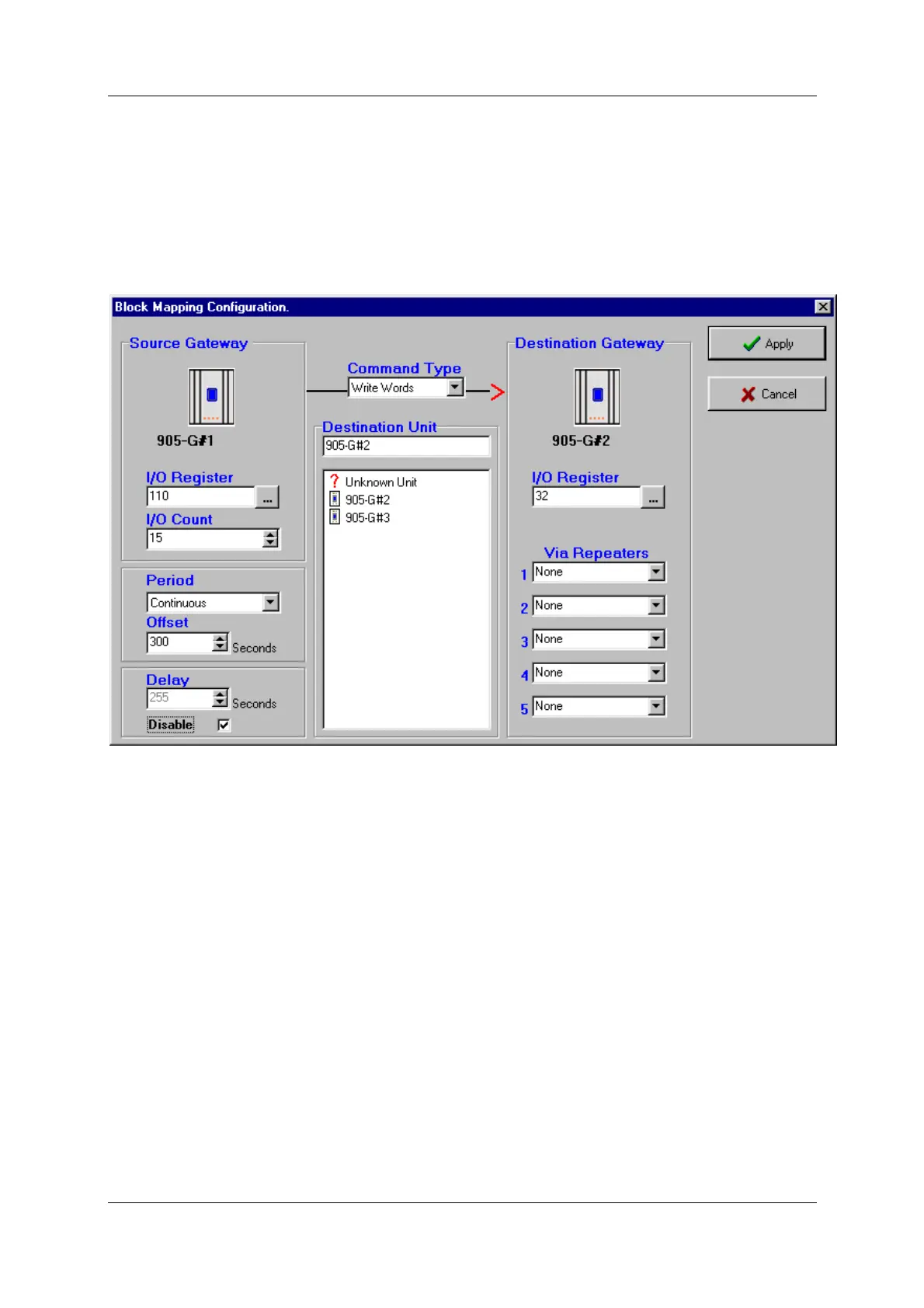
On the Block Mapping display, there are two configuration windows - “Period” and “Offset”
- these determine the time period trigger and real-time trigger.
For a time-period trigger, select “Continuous” in the “Period” pop-down window. Under
“Offset” enter the time-period in seconds. In the above example, the mapping will be sent
every 300 seconds or 5 minutes.
Note that the time period is after the last transmission - if the block mapping message is
triggered by the host device, or by a change-of-state, then the timer is reset and the time
period starts again.
The “Offset” value can be set from 0 – 4095 seconds (68 minutes). If you do not want the
message to be sent on a time period, set the “Offset” value to zero.
If you want the block mapping to be sent only on time period (and not on change as well),
select the “Disable” box in the bottom left hand corner - this disables change messages for
this block mapping.
4.4.4 Real-Time



 To Next Page