105U-G Wireless Gateway User Manual
Page 79 © August 2003
6.2.1 Radio signal strength measurements
There are two ways of displaying radio signal strength:
• Using the off-line diagnostics menu, or
• Using the on-line “debug” features (still off-line for Modbus/DF1 version) - for more
information on this feature, refer to the next section, 6.2.2
To access the offline diagnostics menu:
First select “Diagnostics” to get the Terminal screen as per the previous section, and
select “Terminal”;
Then put the 105G into configuration mode by pressing the small pushbutton switch
in the end plate of the module for 5 seconds (as per section 4.9) until the ACT led
flashes - then release (then the ACT is off and the RX LED flashes);
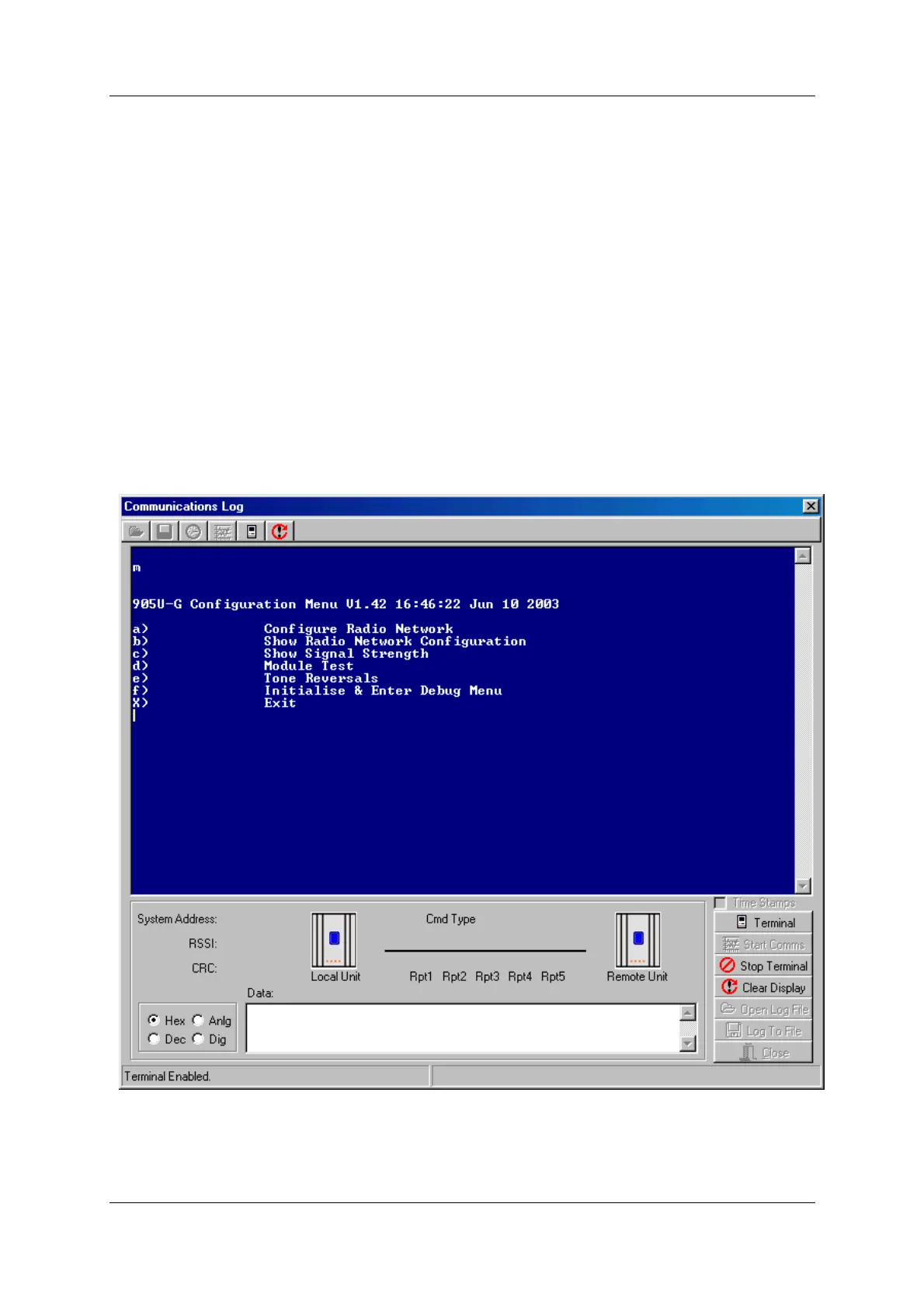
Enter m to get the off-line diagnostics menu.
The module will stop normal operations and a menu like the following will appear on the PC
screen for all 105G versions.
Note: Options a), b), d) and f) are used in factory test and should not be selected.
The diagnostic functions available for field diagnostics are options “c) - Show Signal
Strength”, “e) - Tone Reversals”.



 To Next Page