105U-G Wireless Gateway User Manual
Page 63 © August 2003
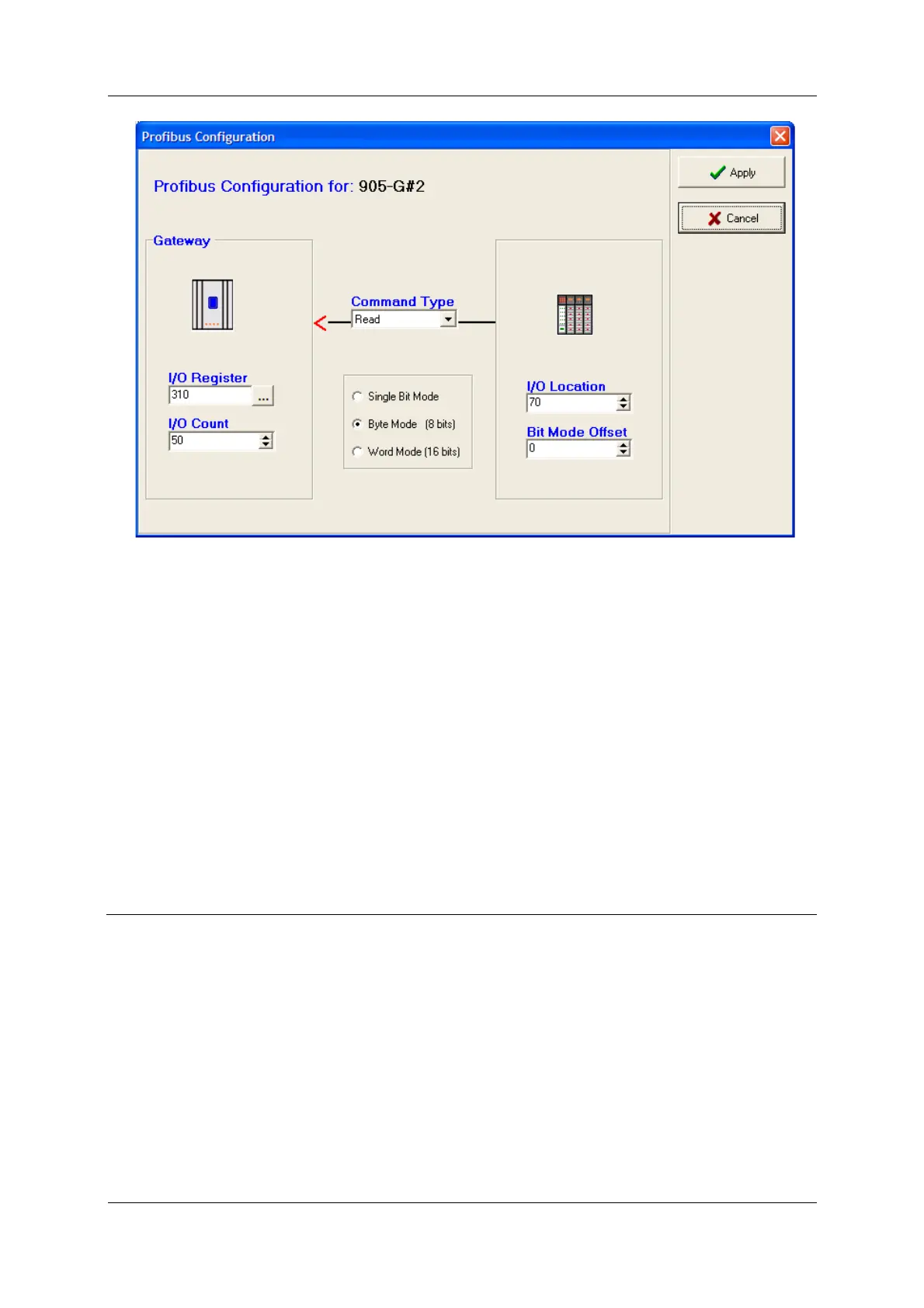
The third link is a “byte read” link - a block of 50 bytes are read from Profibus byte 70 –
119, and stored in I/O registers 310 – 359. The 8-bit values of each byte are stored in the
most significant 8-bits of the I/O register.
Byte read and write links allow 8-bit registers to be transferred. Although the resolution of
the register is decreased (0.4% instead of 0.00015%), twice as many analogue or count I/O
values can be transferred thru the Profibus interface.
Note that the Profibus master cannot read or write a selective block of Profibus bytes in the
105G interface. That is, if you want the Profibus master to read or write to bytes 70 – 119, it
will read or write to bytes 0 – 119 - each Profibus command starts at byte 0. You should
allocate bytes from byte 0.
A status location for each data bus link may be entered. If you wish to use a status register,
select the “Enable Status Location” box and enter an I/O register. The status register will give
information regarding the Anybus module.
4.9
Data Bus Configuration - Ethernet
The Ethernet 105G uses an Anybus Ethernet interface board. This interface board has many
sophisticated functions - this manual only provides basic instructions on how to use the
Ethernet functions of the 105G. For full details, refer to the Anybus manual “ABS-EIP-2 -
Modbus/TCP, EtherNet/IP & IT Functionality” - this manual is available from the Elpro
Configuration CD and web-page.
The 105G provides the following Ethernet functionality:
1. Modbus/TCP. The module supports the Modbus/TCP protocol and conforms to the
Modbus/TCP specification 1.0 (full information on this protocol can be obtained from
http://www.modicon.com/openmbus/index.html). Refer to section 4.9.3 below for
configuration details.



 To Next Page