105U-G Wireless Gateway User Manual
Page 61 © August 2003
There are six types of links that can be configured:
Read Links Write Links
Single Bit
The 105G reads single bits as digital
values and stores in I/O registers as
hex FFFF or 0000.
The 105G writes I/O registers to
single bits of a Profibus byte,
converting the 16 bit I/O register
values into 0 or 1.
Byte (8-bit)
The 105G reads a block of bytes as
8-bit values and stores each 8-bit
value in the most significant 8-bits of
I/O registers.
The 105G writes the most significant
8-bits of I/O registers to a block of
Profibus bytes.
Word (16-bit)
The 105G reads a block of bytes,
converting consecutive bytes into 16-
bit words, and stores each word value
into a block of I/O registers.
The 105G writes a block of I/O
registers to a block of Profibus bytes,
converting the 16-bit register words
into two consecutive bytes.
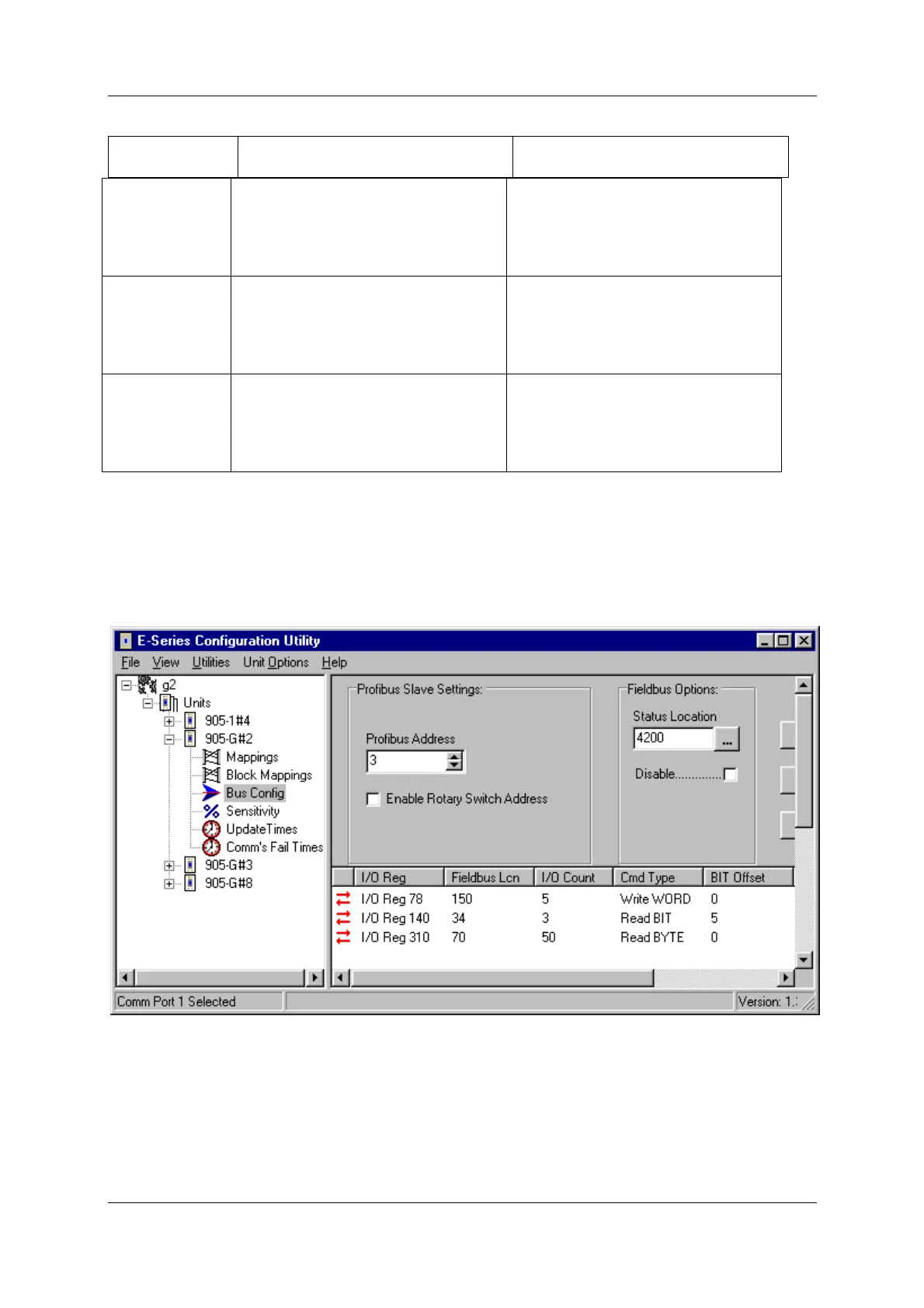
In the following example, the 105G is allocated a Profibus Slave address of 3. The first link
is a “write word” link, writing 5 x 16-bit words from I/O registers 78 – 82 to Profibus bytes
150 – 160. Each 16-bit I/O register is converted into two consecutive 8-bit bytes. I/O register
78 will be written to Profibus bytes 150 and 151, with the most significant 8-bits into byte
150.



 To Next Page