Emaldo Power Core User Manual
Warning: Electric shock and burns are potential.
Important
After the system is shut down, the ATS will automatically switch to the standby power supply to
continue supplying power to the KeepON load. If it is necessary to cut off the ATS power supply,
please use the MANUAL mode and switch to the SOURCE A position.
Step 1
Switch the RCD (Grid, AC) circuit breaker in the Additional Cabinet to the OFF position.
Step 2
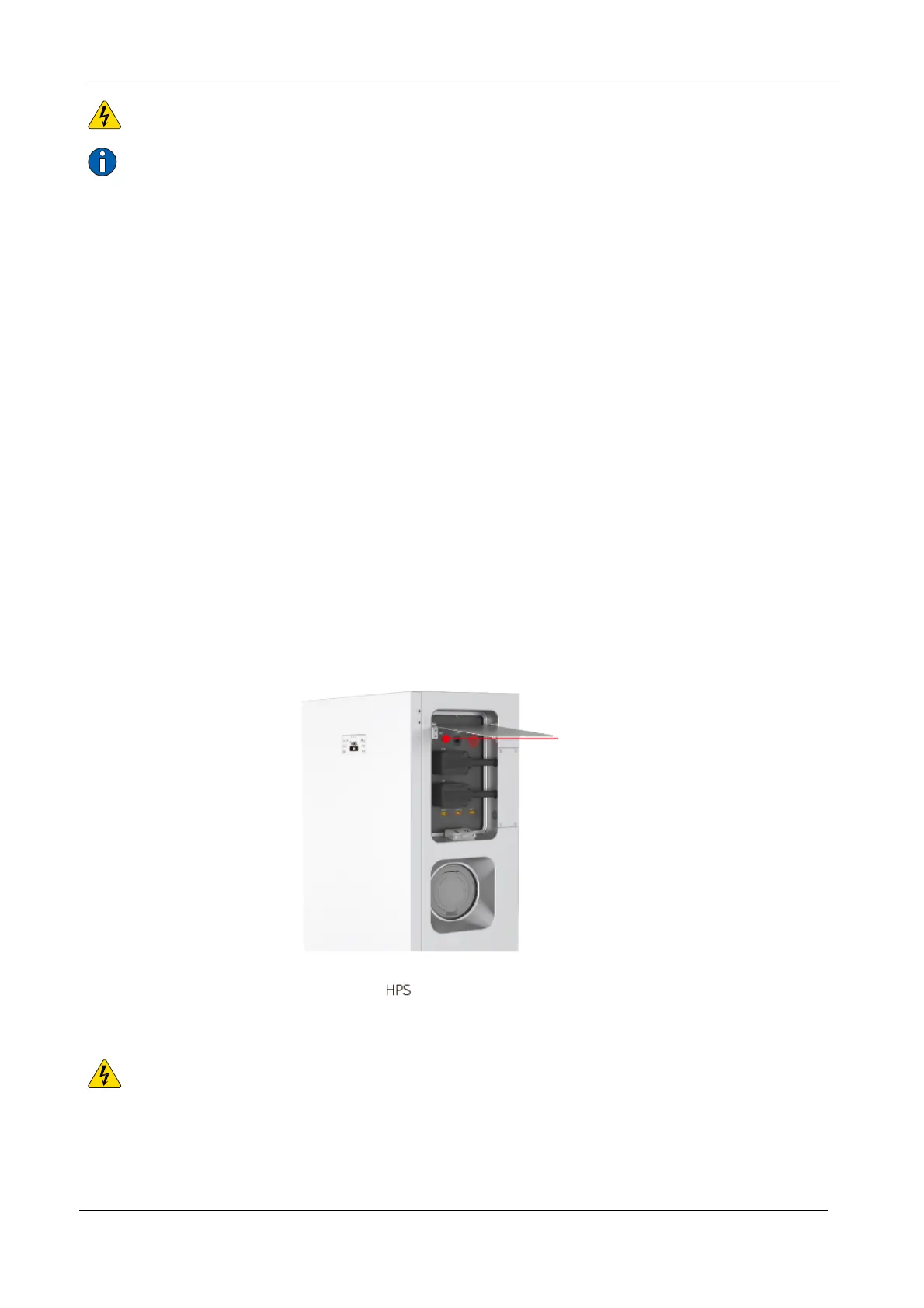
Open the cover plate of the upper leading-out cabin on the right side of Emaldo Power Core,
briefly press the main switch of the energy storage system, the main switch light ring will go
out, and the system is shut down.
Note: After briefly pressing the main switch and the light ring goes out, the LED of the battery
module will turn off after a period of self inspection.
5.3 Restart IoT
Warning: Electric shock and burns are potential.
Step 1
Open the front door of the Emaldo Power Core and locate the IoT button on the right side of the


 To Next Page