Emaldo Power Core User Manual
4.5 Installation of electricity meter
Step 1
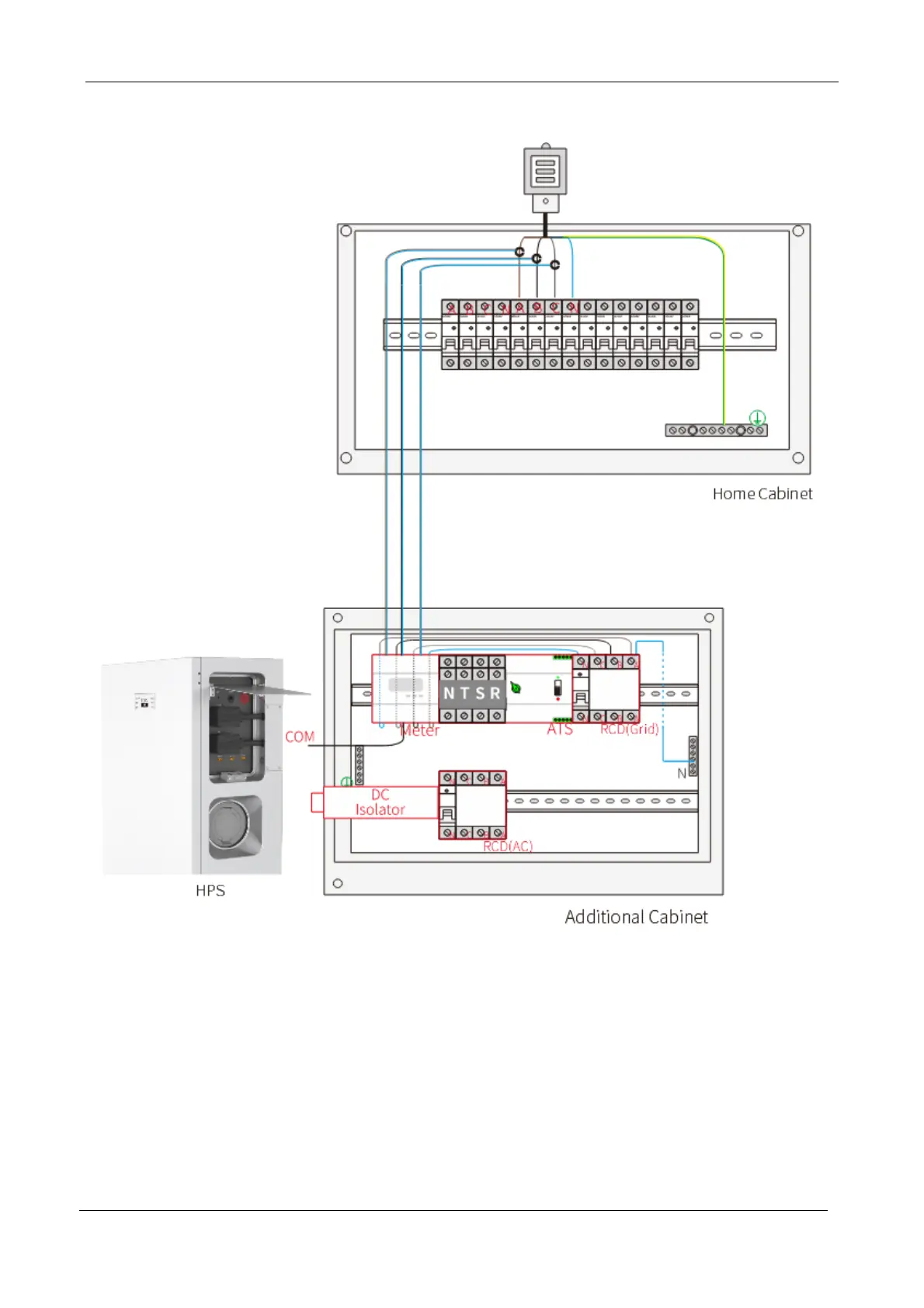
Insert one end of the electricity meter communication cable RJ45 into the COM hole of the
leading-out cabin of Emaldo Power Core, and connect the other end into the corresponding
hole position of the electricity meter as per the line sequence.
Step 2
Install three open-type CTs onto the three-phase cable at the incoming line terminal of the
primary distribution box, and connect the sampling cable to the corresponding hole position of


 To Next Page