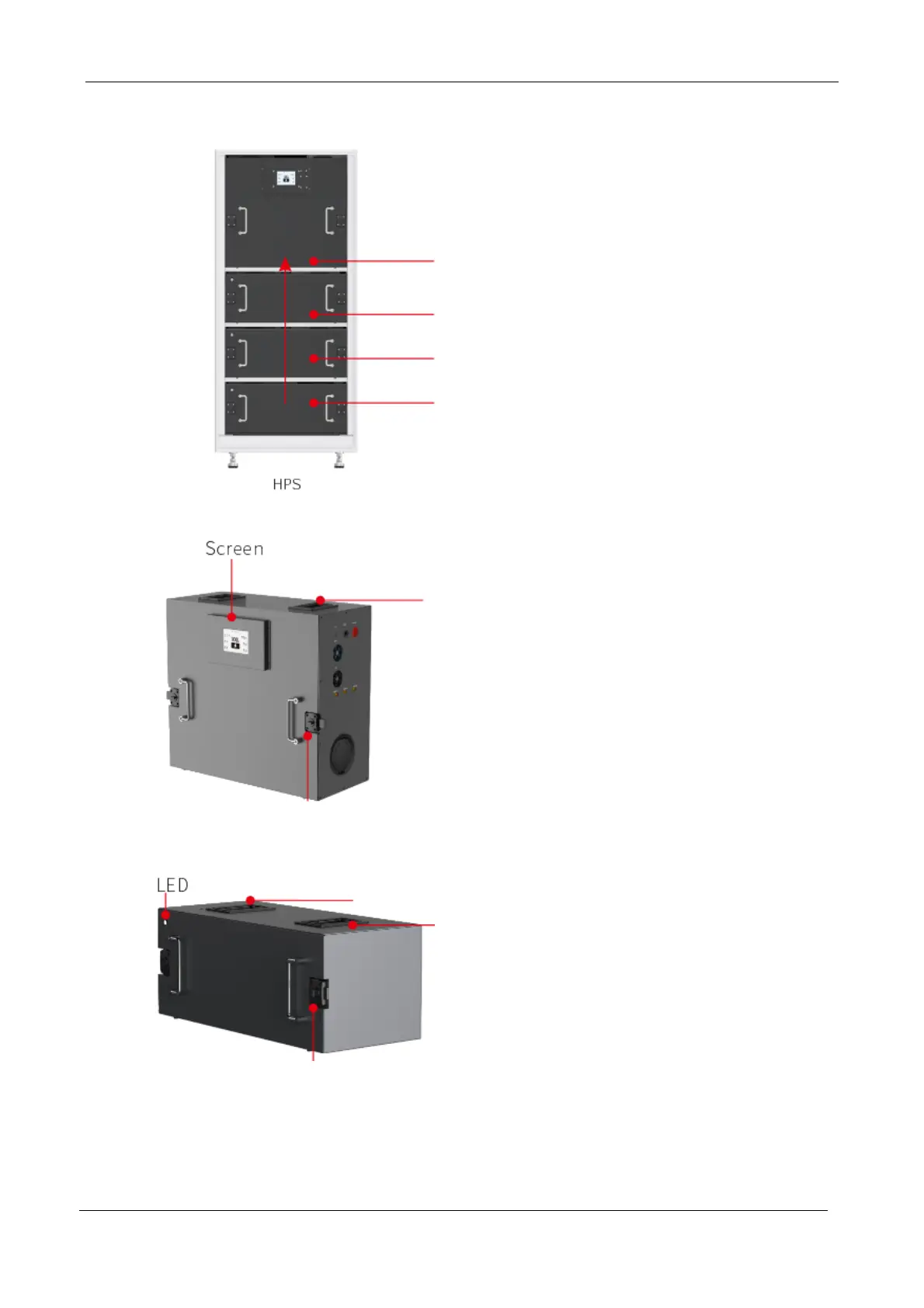
Step 1
Installation of the first battery module
Grasp the top handle of the battery module with
both hands or by two persons, align it with the
guide rail of the Emaldo Power Core cabinet
module, and slowly push it forward. After
pushing it forward a bit, release the handle,
adjust the location, and then push it in with a
slight force from the front of the module to
ensure that the battery terminals are tightly
connected to the cabinet terminals, and lock the
linkage lock of the module front in place.
Step 2
In the same way, the second and the third
battery modules and the power control module
are installed in the bottom-up order.
Note:
Battery module status:
Normal operation: LED light flashes slowly in
blue.
Abnormal operation: LED light flashes slowly
in red.


 To Next Page