Disconnecting the USB cable
MSC MODE
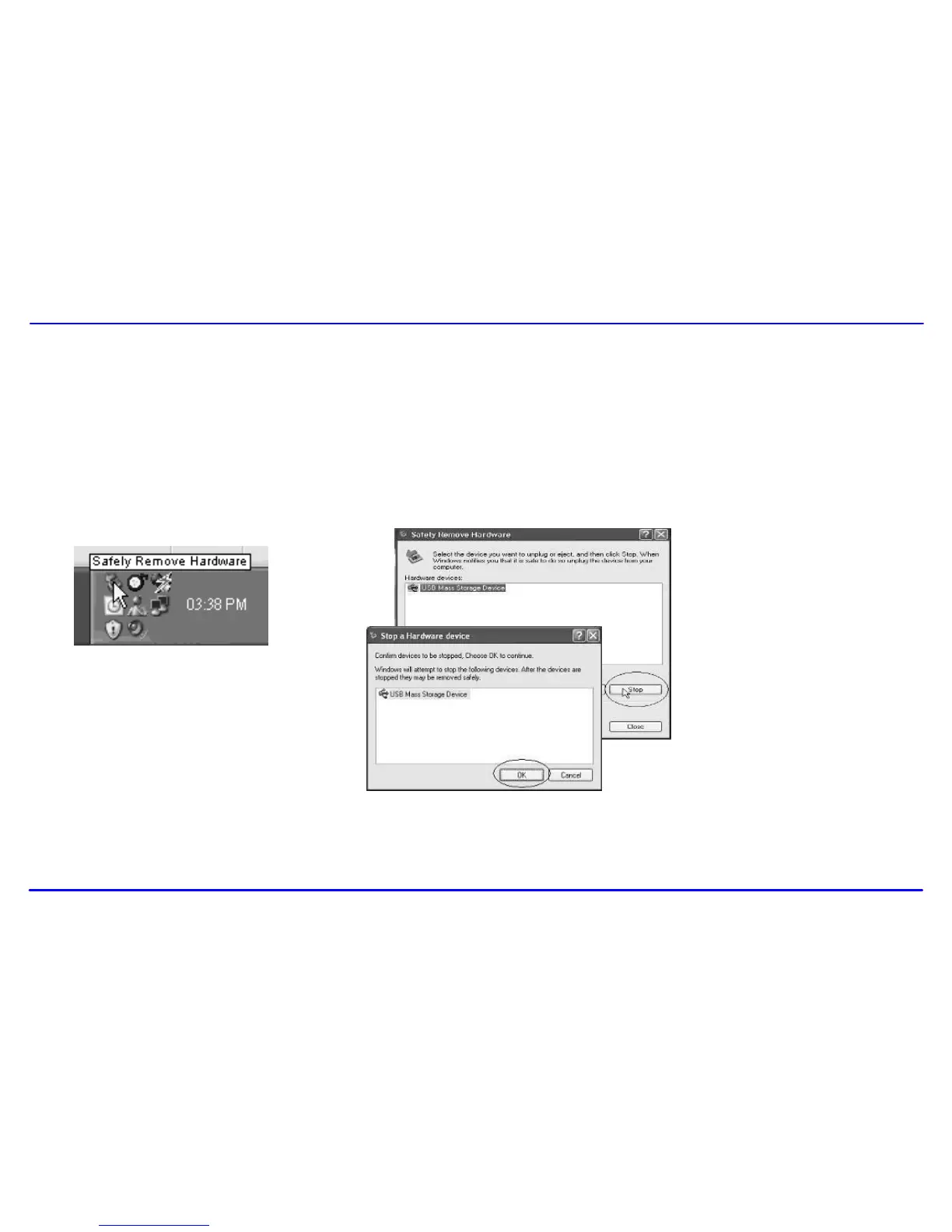
After completing the file transfer, please disconnect the USB cable as the following way:
1 Double click the green arrow “Safety Remove Hardware” in the taskbar on the bottom right of the window.
2 Select “USB Device” and click “Stop”.
3 When the “Stop a Hardware device” appears, click “OK” to disconnect the USB mass storage device. Then you can unplug the player safely.
MTP MODE
After completing the transfer, you can unplug the player from the computer directly.



 To Next Page