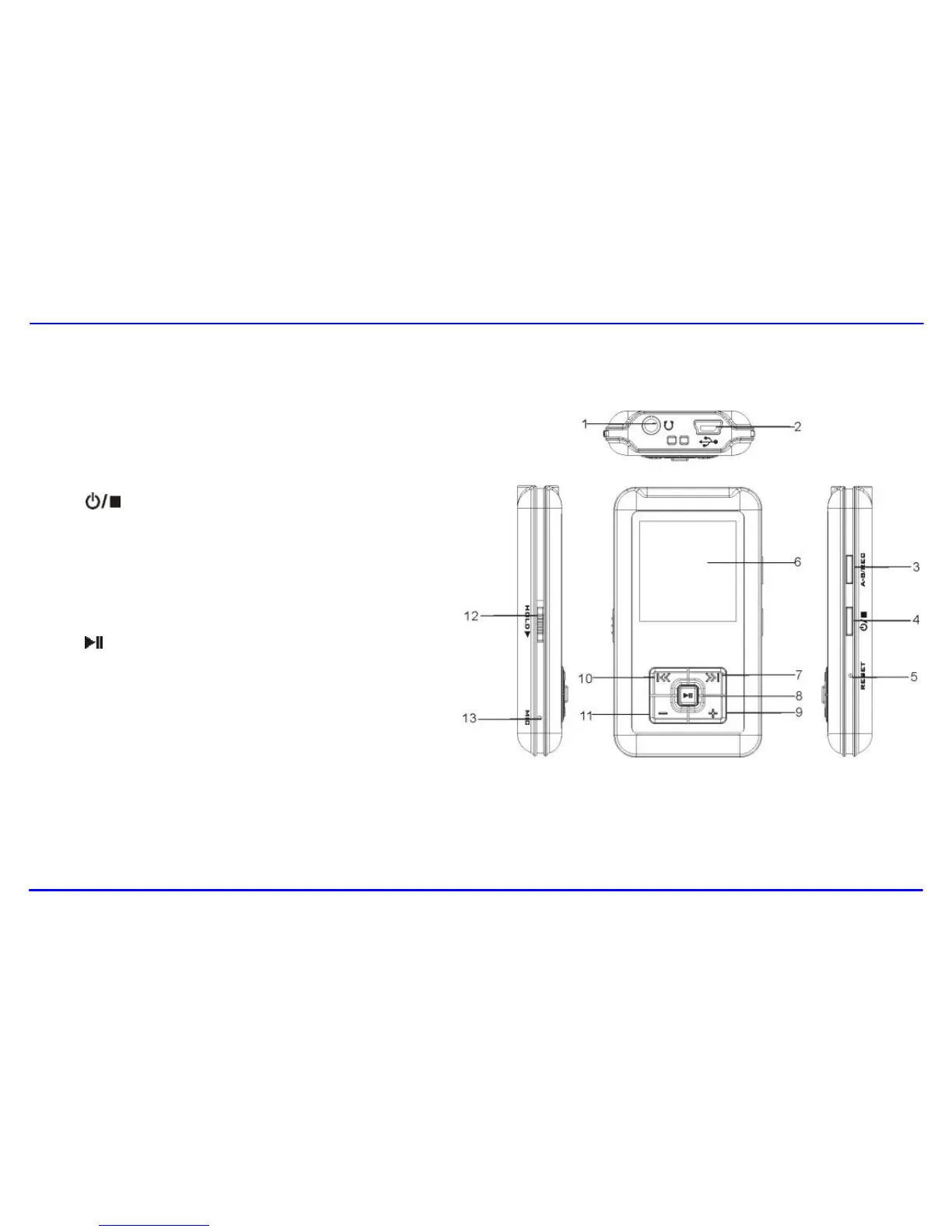
1. Earphone jack
2. USB cable connection port
3. A-B/REC
4. [ ] Power on/off; Stop; Open sub-menu; Return to
previous menu.
5. RESET hole
6. Screen display
7. [] Next, Fast Forward
8. [ ] Enter main menu, Play/Pause, Confirm
9. [] Volume up
10. [] Previous, Fast Rewind
11. [−] Volume down
12. Hold switch
13. Microphone



 To Next Page